


TL;DR: Adding personalized fields and images in Engagement is easy and can help you create personalized documents for your buyers. Simply use curly braces around the field you want to personalize or add a text box or shape with "{image:name the image}", add the document to a collection, and add personalized values when necessary. (Also available in iOS.)
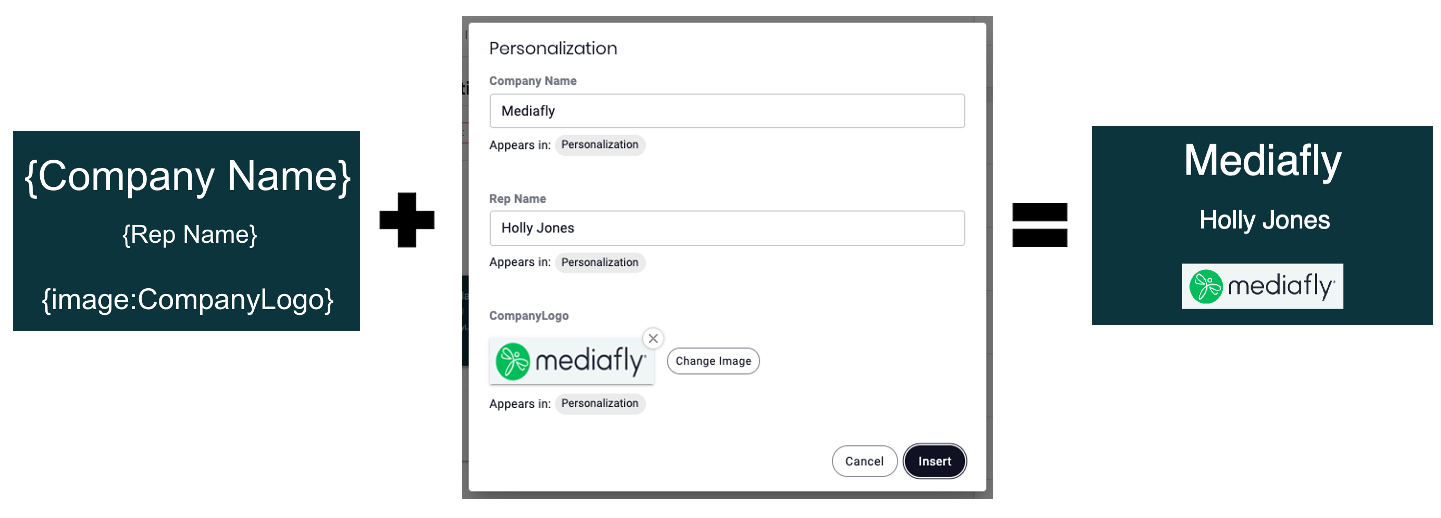
Adding Personalizations in Collection
- Create the document (Google Slide, PowerPoint, etc.) and upload the item into Mediafly
- To add personalization for:
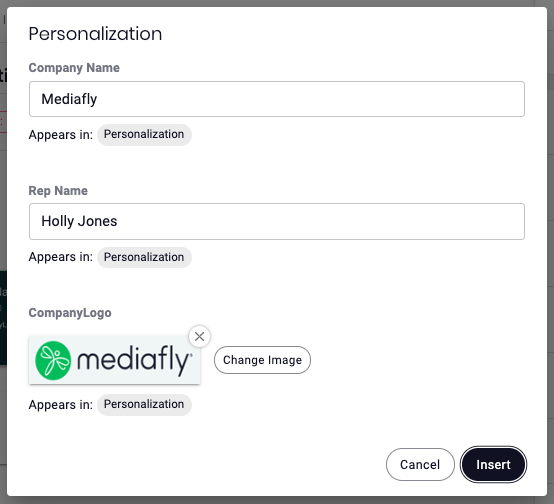
Fields: you can use curly braces { } around the field you want to personalize. In the example above we've added {Company Name} and {Sales Rep Name} - you must include the curly braces!
Images: insert a text box or shape and enter {image:NAME THE IMAGE}. In the example above we've added {image:CompanyLogo} - again, you must include the curly braces!
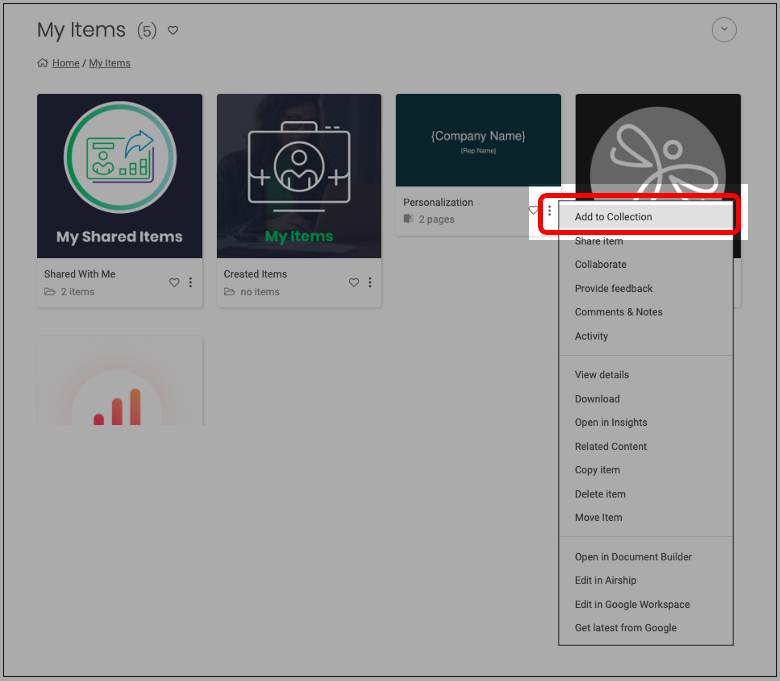
- Once you have added the personalized fields/images, you can then add the document to a Collection by clicking on the three dot icon, then Add to Collection.
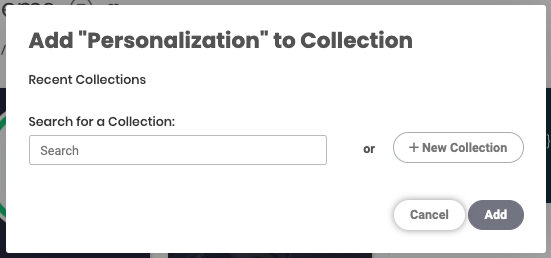
- Add the item to an existing Collection OR create a new one.
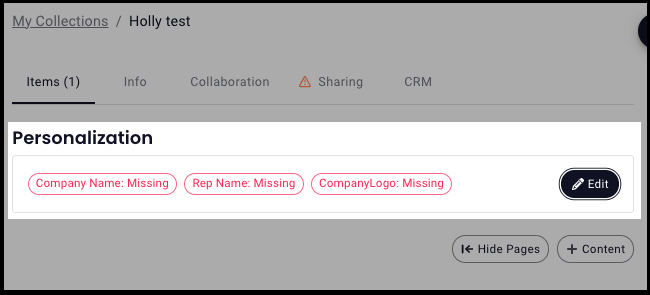
- If the personalized fields/images are missing, they will be shown in red at the top of the document, but sales users will still be able to view the document.
-
To update the values, click the Edit button and insert your own text/image, then click Insert (notice that the values we created in the curly braces are the fields we can now personalize!)
- The document will then reprocess and when presented, the personalized values will now appear in the document. You can click View on the item to check it out yourself!
Size Limitations
- Text: There is currently no size limit on the text you can personalize in Collections, however, while we accept whatever text you want to put in there, there is no function to size the font to fit your design.
- Images: 10 MB
Replies have been locked on this page!