


Internal Share links ensure a seamless user experience and maintain the security of sensitive content. These links are shared only with other users within your instance and are not tracked in Insights, so they will not interfere with your engagement reporting.
- Open the page you to want to share internally
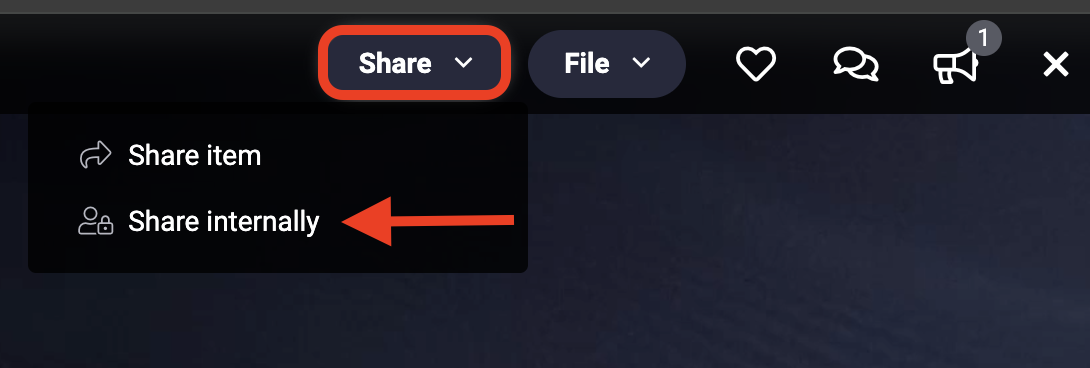
- In the top navigation, click Share > Share Internally
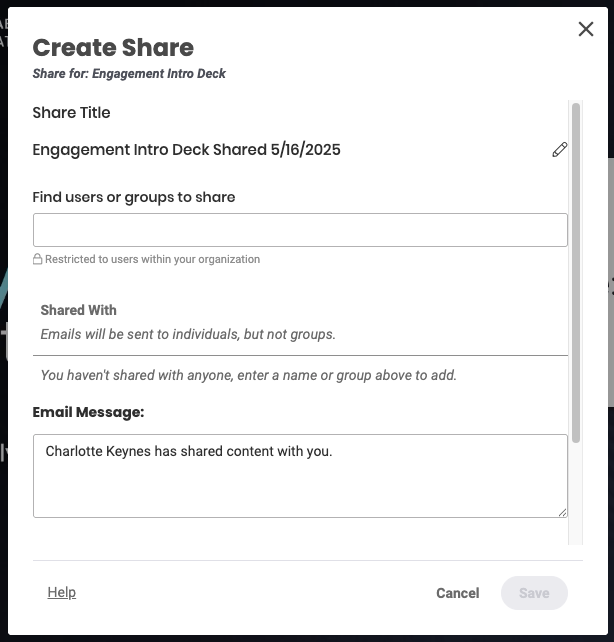
- Enter & select the internal individual(s) or group(s) with whom you want to share under Find users or groups to share
- Click Save, the internal link will automatically be emailed to the selected individual(s) or group(s)
- Optional: Click Copy to Clipboard to paste the link elsewhere
Once a page has been shared internally, you can find/edit the share configuration.
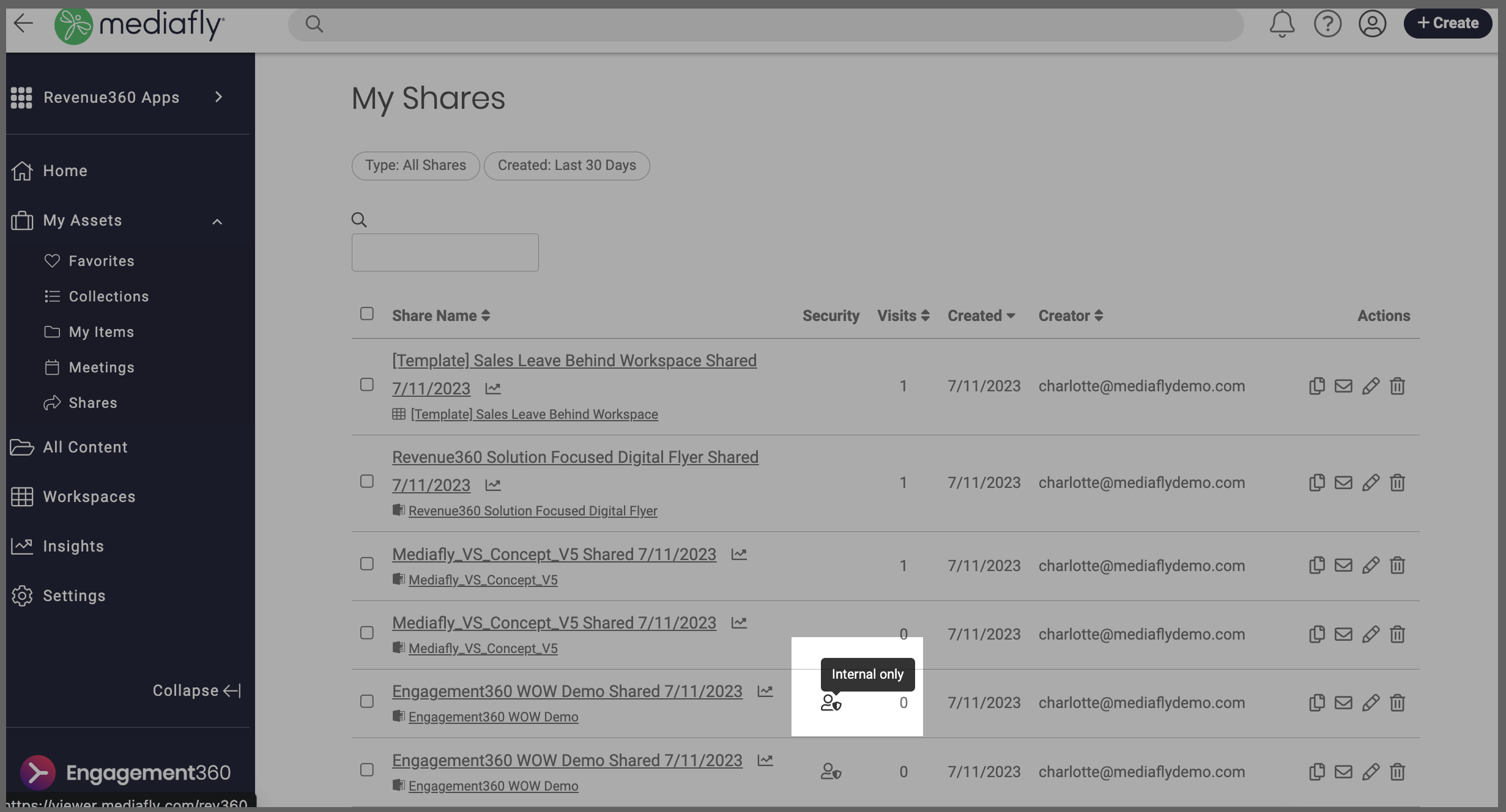
- Go to Shares > My Shares
- Internal shares will have an "internal only" icon in the Security column
- Click the edit icon to make changes
Replies have been locked on this page!