


The Mediafly + SAP V2 integration a powerful tool for SAP users, bringing together seamless content management and real-time transparency—boosting productivity and improving customer interactions right inside the systems your teams use every day.
Section 1: How to Enable the Integration
Follow these steps to enable the Mediafly + SAP V2 integration:
- If you're a Mediafly user, start by navigating to Settings > Report Management, then proceed to step.
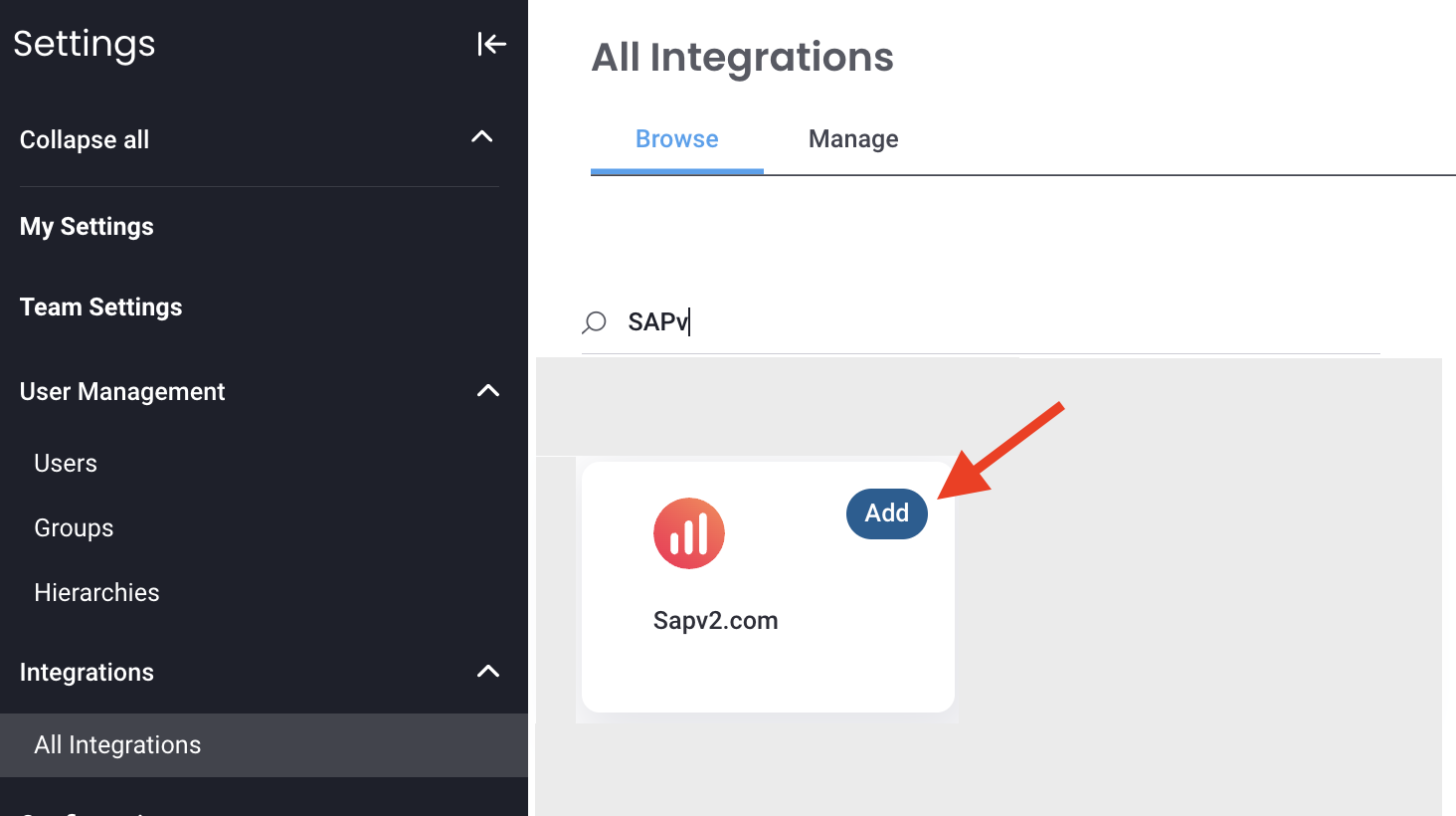
For Revenue Intelligence only users, go to Settings > All Integrations. - Click ADD on the SAPV2.com integration and then click the box to open its settings.
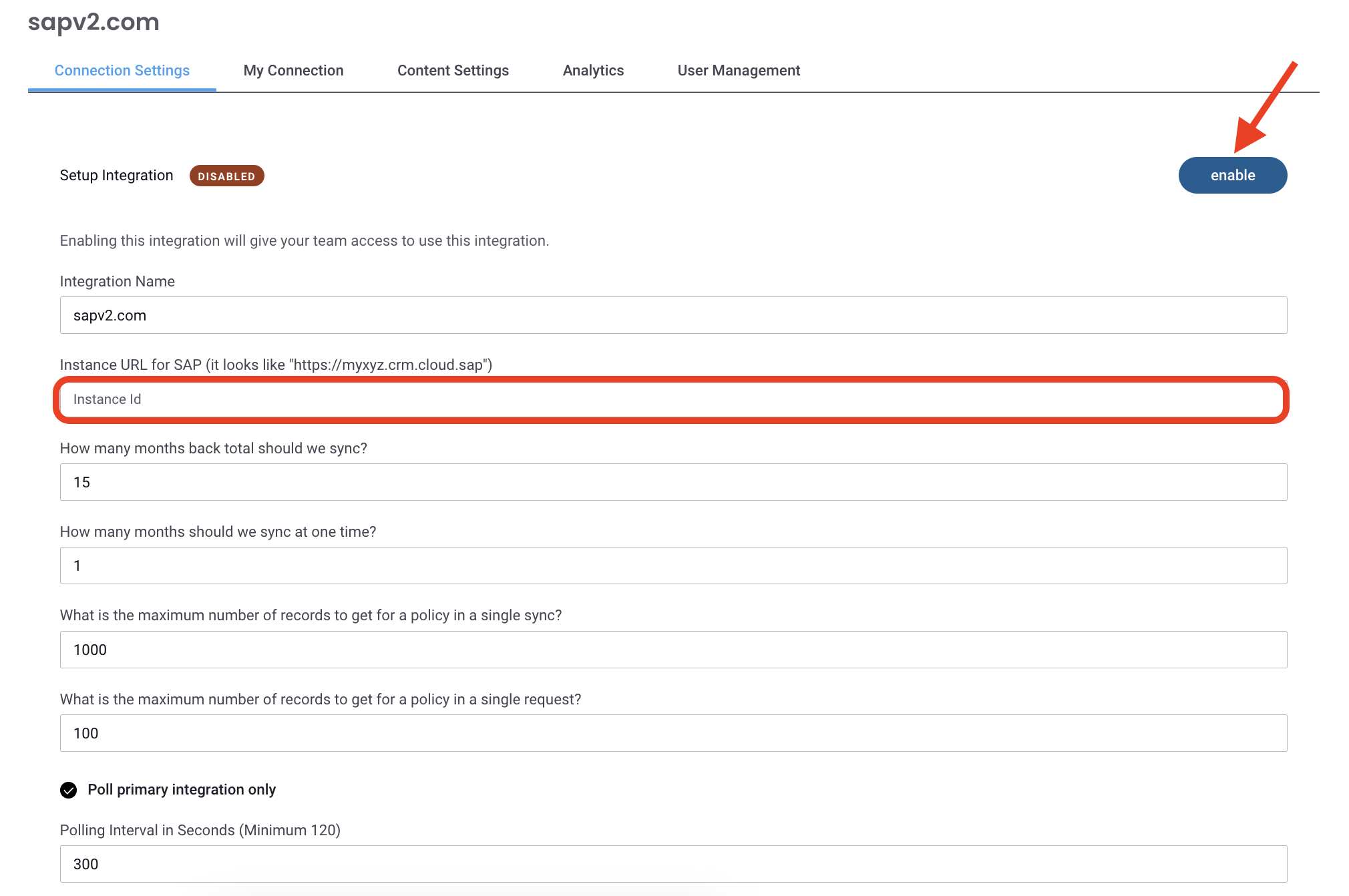
- In the Connection Settings tab, enter your SAP "Instance URL":
- Click Enable to activate the connection.
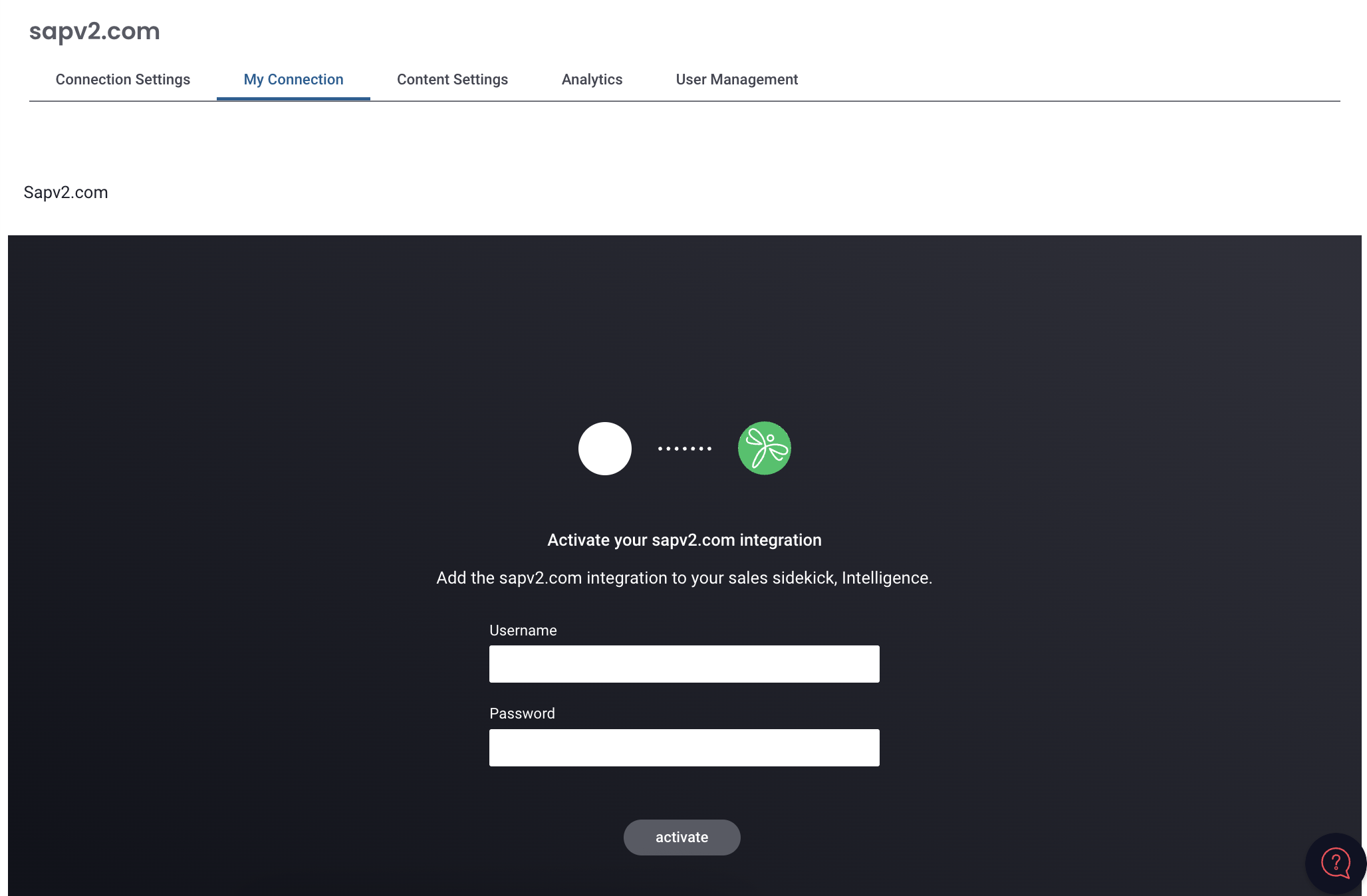
- Switch to the My Connection tab, then enter your SAP username and password. Click Activate.
Enhancing SAP Workflows with Mediafly
Here are a few examples of how the Mediafly integration within SAP Sales and Service Cloud streamlines your workflow:
-
Access and Share Content Effortlessly
- Mediafly surfaces all sales materials directly inside SAP, allowing reps to find, select, and share content with just a few clicks.
-
Automatic Record Keeping
- Every shared item is automatically associated with its relevant CRM record (such as an Account or Contact).
- Mediafly creates CRM Tasks to log what was shared, by whom, and when—ensuring full visibility and accountability.
-
Enhanced Customer Engagement Tracking
- If a customer interacts with content you've shared (for example, by viewing it via a share link), Mediafly automatically creates an additional Task in SAP. This gives reps clear insight into customer engagement, all recorded in the CRM Activity Timeline.
Replies have been locked on this page!