


Ensure compliance and transparency with a Lead Capture Form Disclaimer, which allows you to easily include specific regulatory information or disclaimers before users access share links. Contact your Customer Success Manager to enable this feature.
When your CSM configures your Lead Capture Form Disclaimer, you'll be able to include your own wording, such as specific regulatory information, that you would want to add before a user clicks through to view a share link.
See below where your own, customized lead capture form disclaimer text would be.
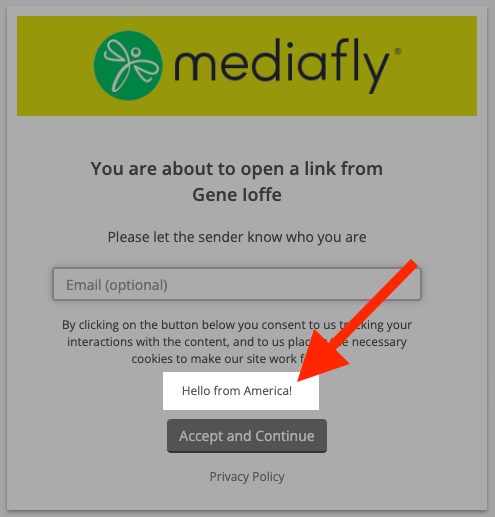
Collect Visitor Info
Once enabled, if you're sharing via the "Compose" method, you can configure how to collect visitor info when sharing a record:
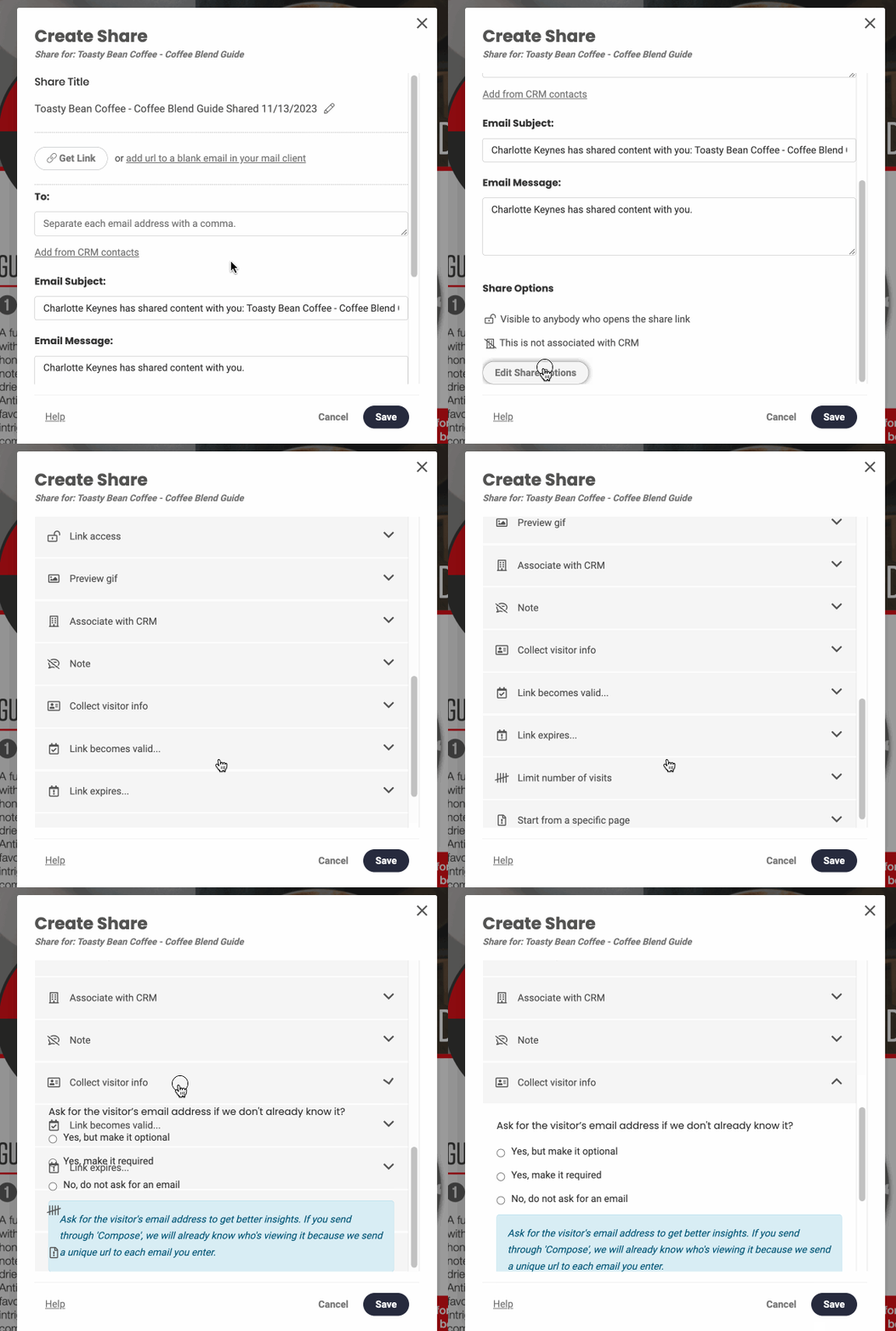
- Click Share Item
- Click Compose (more information is available here if you're new to sharing items)
- Expand the Collect visitor info section
- Select one of the following:
- Yes, but make it optional: The lead capture interface will be displayed to users whether they arrive via a Compose link or a public share link. However, users have the choice to skip it.
- Yes, make it required: The lead capture interface will be shown to recipients regardless of their arrival method, but they will now be required to enter an email address to access the share. They can input any email address.
- No, do not ask for an email: The lead capture will show for shares that use the Compose method, but users can still choose to skip it. Public shares with this option will not display the lead capture.
Replies have been locked on this page!