


Save time in managing your content by downloading all items in a folder or Collection into one zip file.
Notes:
- Downloading a folder or collection will only download the child items in that specific folder or collection.
- There is a collection download limit of 500 items or 5GB worth of items.
- Hidden Slides will not be eligible for downloading.
To download all items in a folder or collection:
-
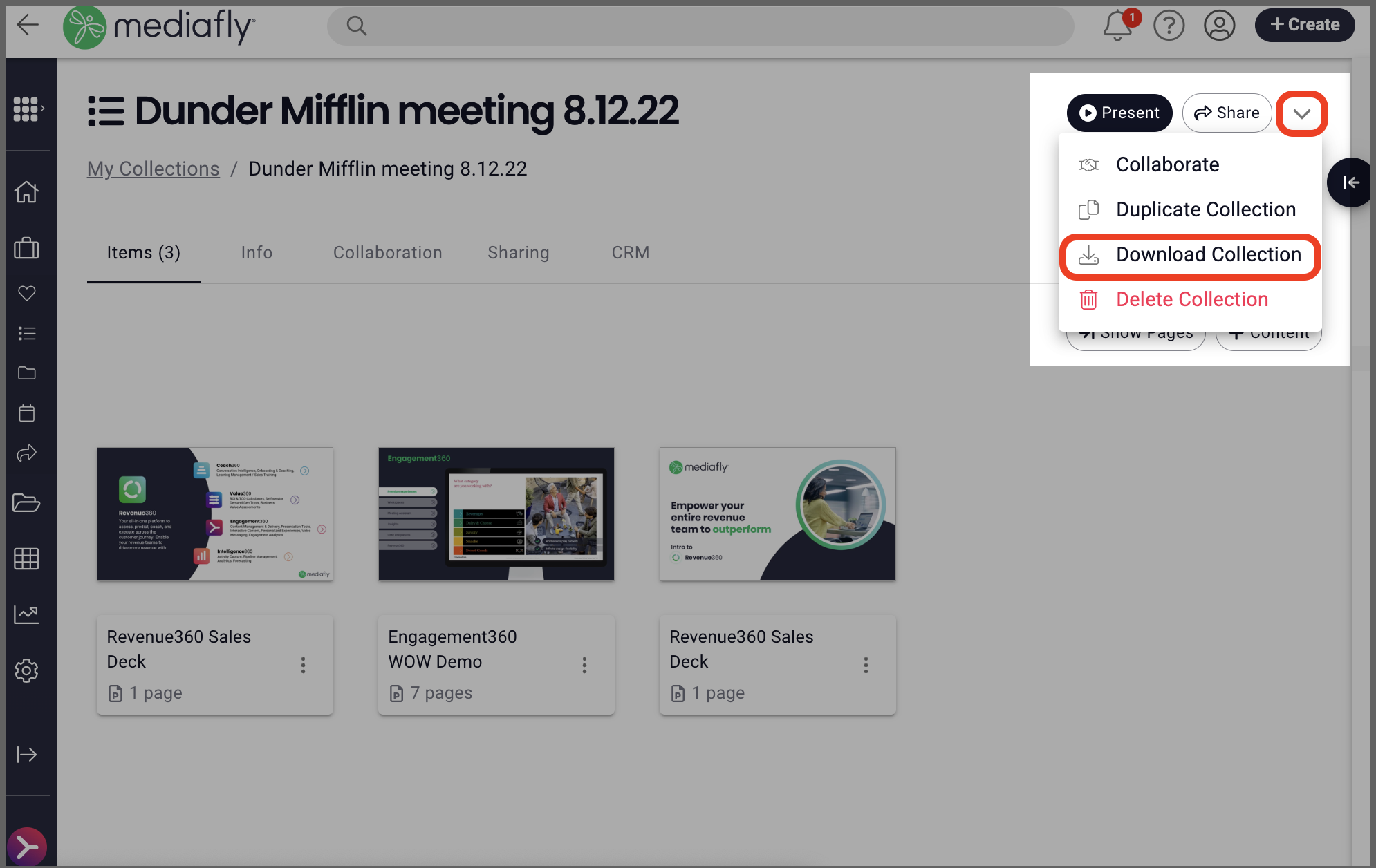
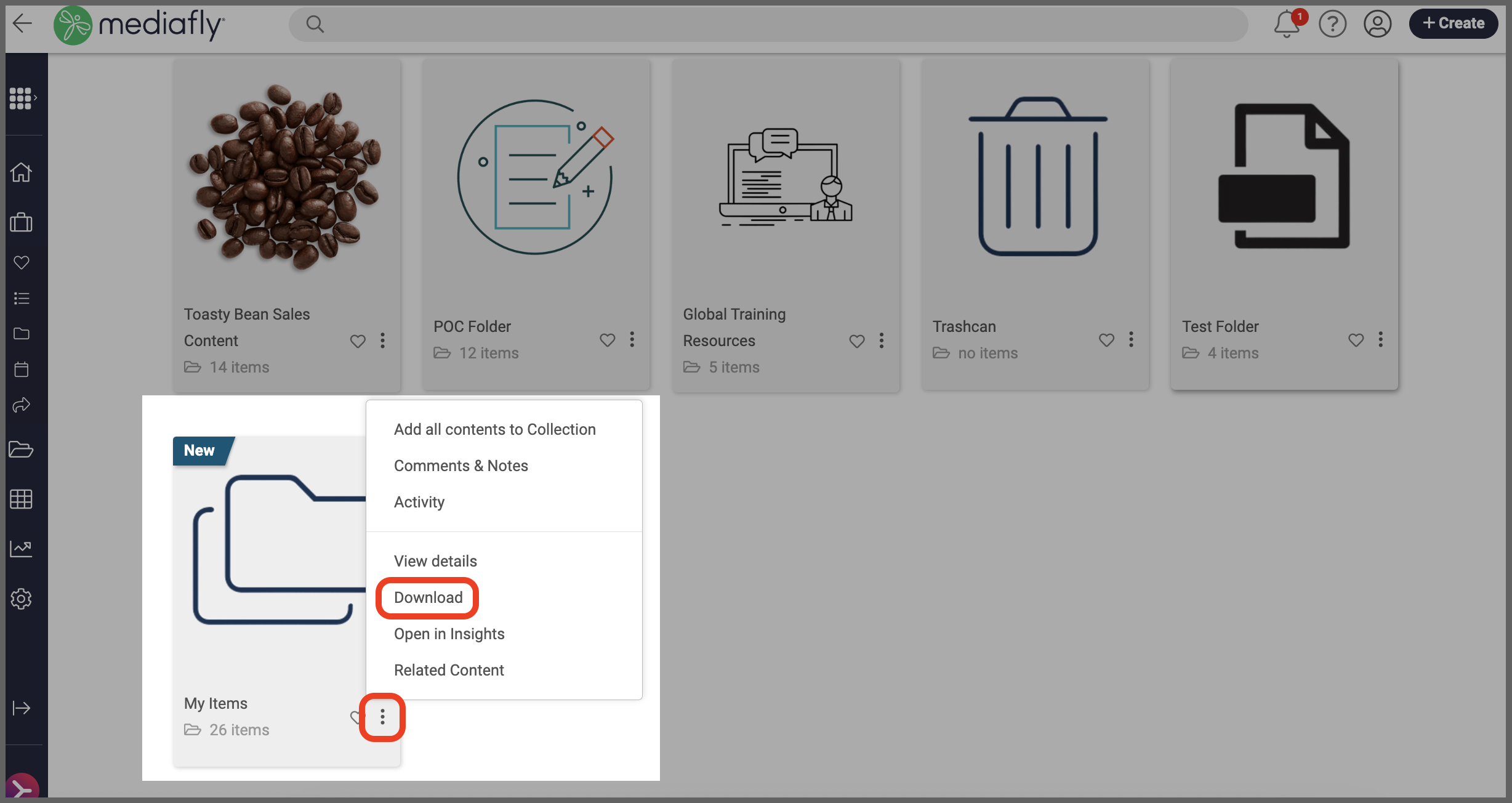
Click the three dot menu "..." on a folder or the down arrow ˅ on Collection and select "Download Collect/Folder".
▪ Downloading a Collection:
▪ Downloading a Folder:
Note: If a user does not have permission to download all of the child items, they will see a dialogue outlining what will and won't be downloaded. If a user does not have permission to download any of the child items, the download option will not be available.
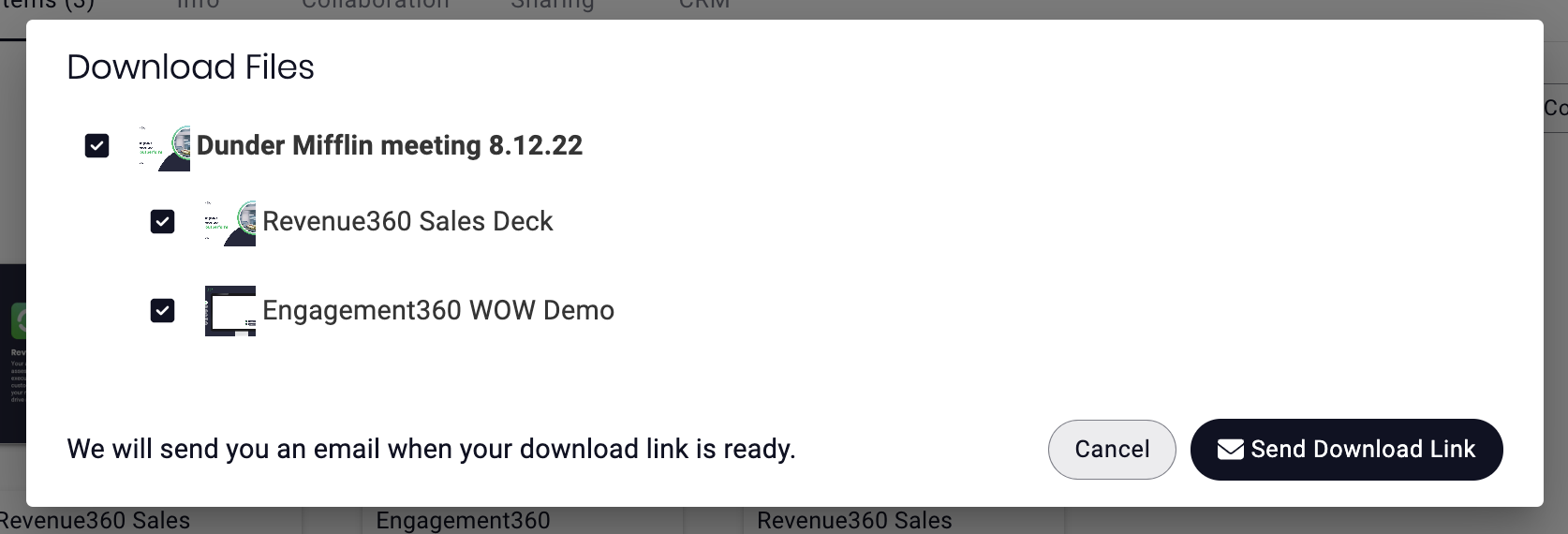
- The download window will allow you to select/deselect items you want to include (or not) in the download. Once you're ready, click "Send Download Link".
-
You will see a pop-up notification that you will receive an email with a download URL, click the URL in the email to download the zip file.

Replies have been locked on this page!