


The Call ReviewDashboard has been created and configured for you right out of the box, so your Sales Leaders & Managers have a built-in dashboard based on best practices, utilizing your data.
The Coaching on Conversations Dashboard
The following rows and cards make up the template of reports we consider best practice for a Coaching on Conversations Dashboard. Each card can be opened with one click to further inspect data with a more focused view on a particular report.
We recommend having your Coaching on Conversations Dashboard dashboard open in another window as you walk through what's included.
Row 1
-
Total Calls (Headline)
-
Average Talk Time (Headline)
-
Average Cal Duration (Headline)
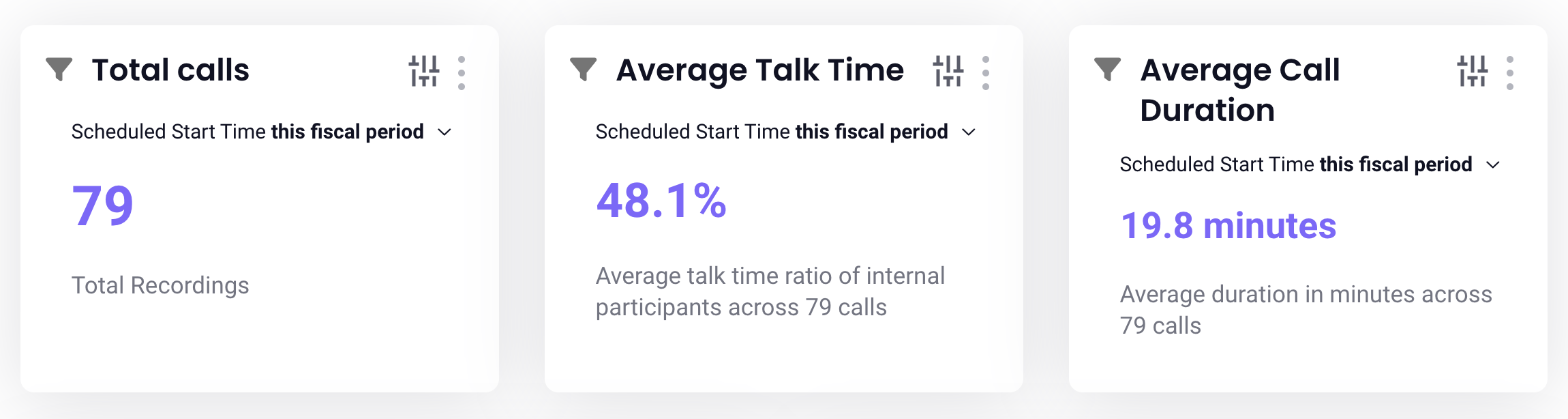
Row 2
-
Week Over Week Change in Recordings by Type (Bar Chart)
-
Recent Calls (Table)
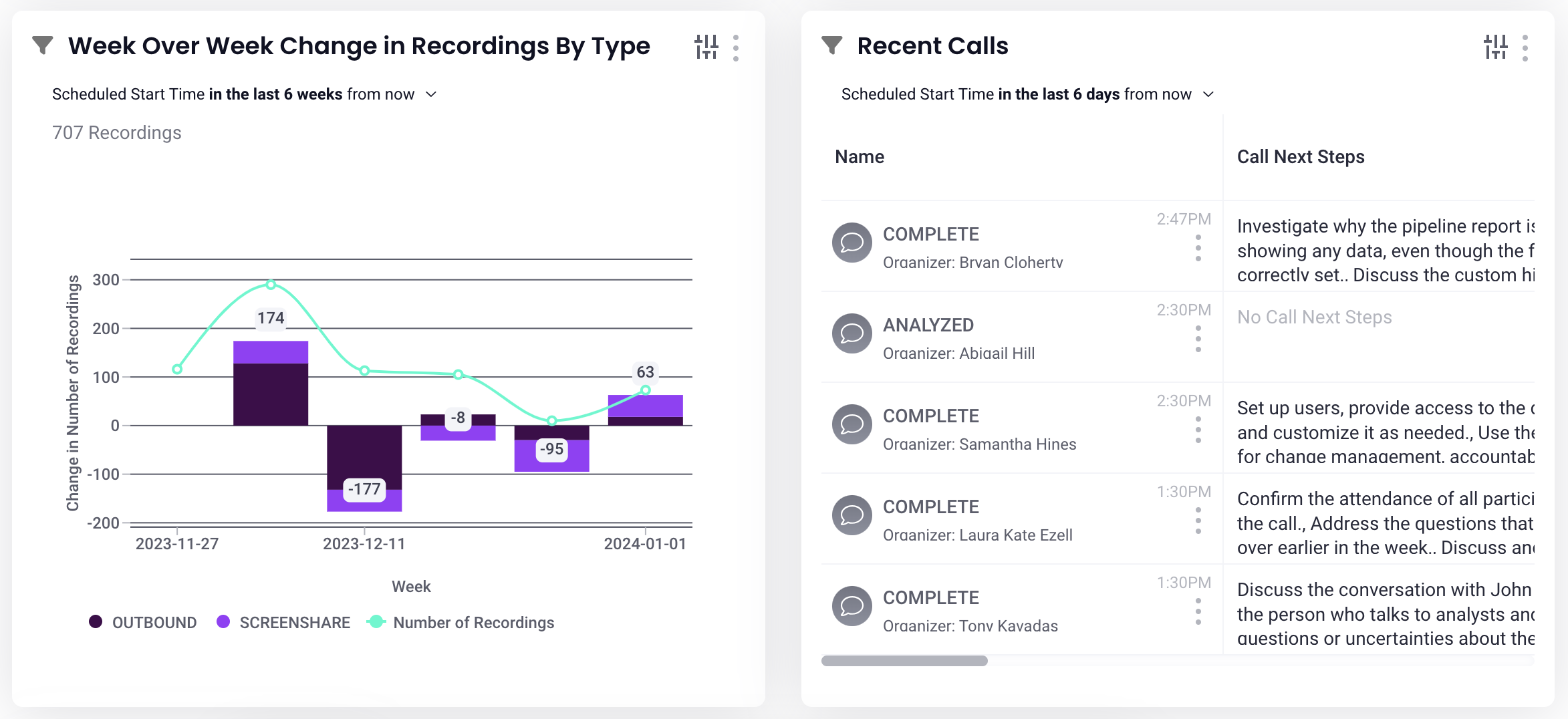
Row 3
-
Total Topic Mentions (Bar Chart)
-
Topic Mentions Over Time (Bar Chart)
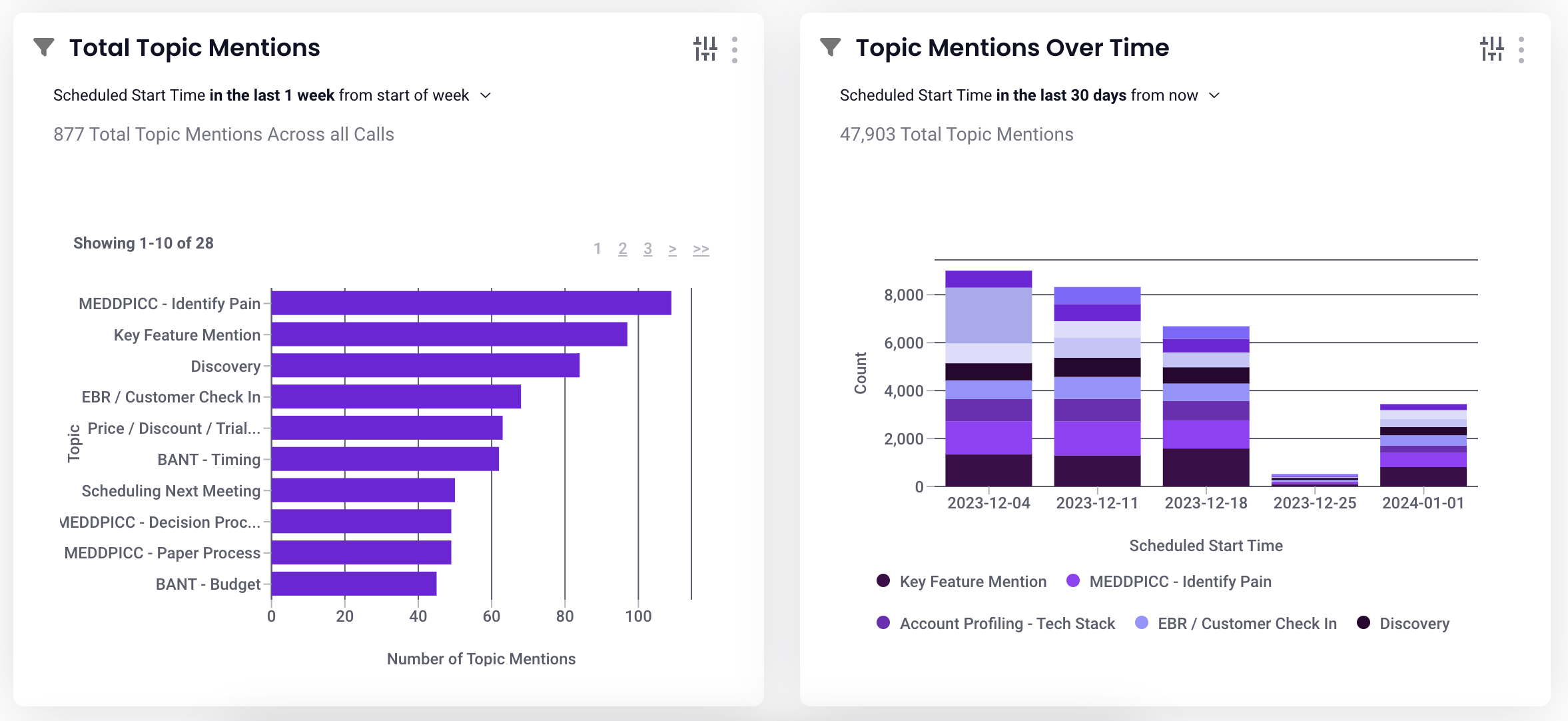
Row 4
-
Calls by Rep (Bar Chart)
-
Number of Calls by Topic Mention(Bar Chart)
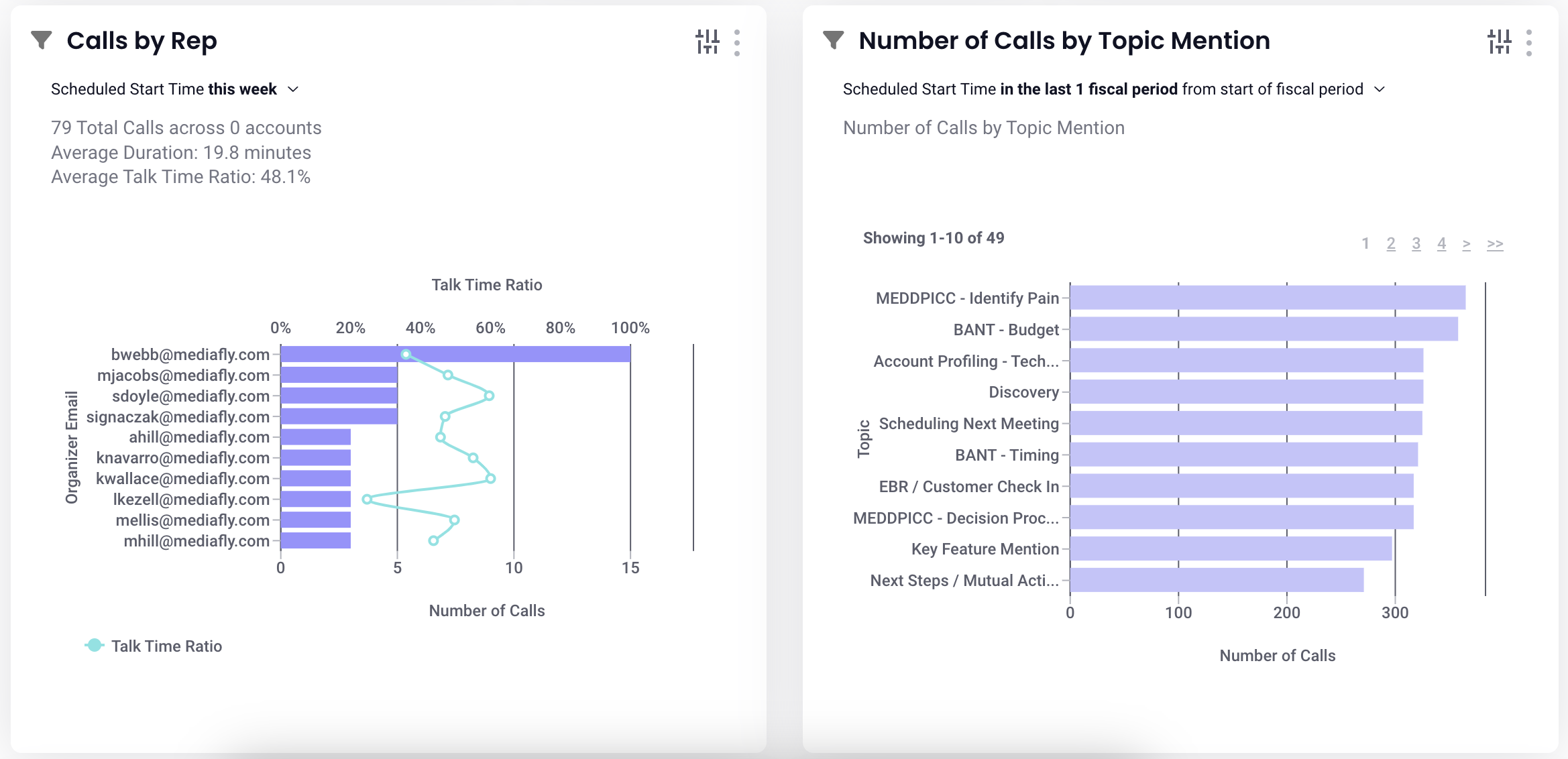
How did we build this dashboard template for you?
The Call Review Dashboard has been created for you out of the box using the configurations listed below. We love being able to provide this Dashboard out of the box and ready to use, but it's always good to know what data you're working with when you hit the ground running.
Dashboard Configuration
-
Base Template: Generic Recordings Insight
-
Content-Type: Recordings, Recording Topic
Filters on Report Drills
Clicking on a card will produce an inspection report so you can drill down on a card's specific data. Each report comes with our recommended best practice filter sets (report columns) that can be customized to best fit your process. Read Interactive Filters to learn more!
Replies have been locked on this page!