


Intelligence's Machine Learning currently offers three key models, or answers three key questions:
- Confidence to Close: What is the confidence that a given opportunity will ‘Close Win’ based on how it is progressing?
- Ideal Opportunity Profile: How closely does this deal ‘look like’ deals you typically win? With more to come!
- Predicted Close Date: When does Intelligence predict a deal will close?
Before a property can be analyzed, it must be categorized by type.
What are Machine Learning Types?
Before you establish a type, you need to understand under which type your data falls. There are seven Machine Learning types available:
・unique: Reserved for things like id’s, URLs, opportunity name. Something that will be mostly unique in the system
・temporal (date or time): Relating to dates like close date, create date, or renewal date
・boolean: if the value is true/false or 1/0 (i.e. opportunity is won)
・picklist: if the value is a single picklist entry (i.e. opportunity stage)
・multi-picklist: if the value can be multiple picklist values (a list)
・numeric: relating to a number value like number of seats or amount
・text: used for free form text like opportunity description or next steps
Establish Machine Learning Type
Establish what type of machine learning fits the data in your CRM.
-
Go to Settings > All Integrations > Select your CRM
-
Select Content Settings to open Content Policy List
-
Click your desired Content Policy from the list to open a Content Policy editor
-
Click Content Properties, then hover over a property in the list and click edit
-
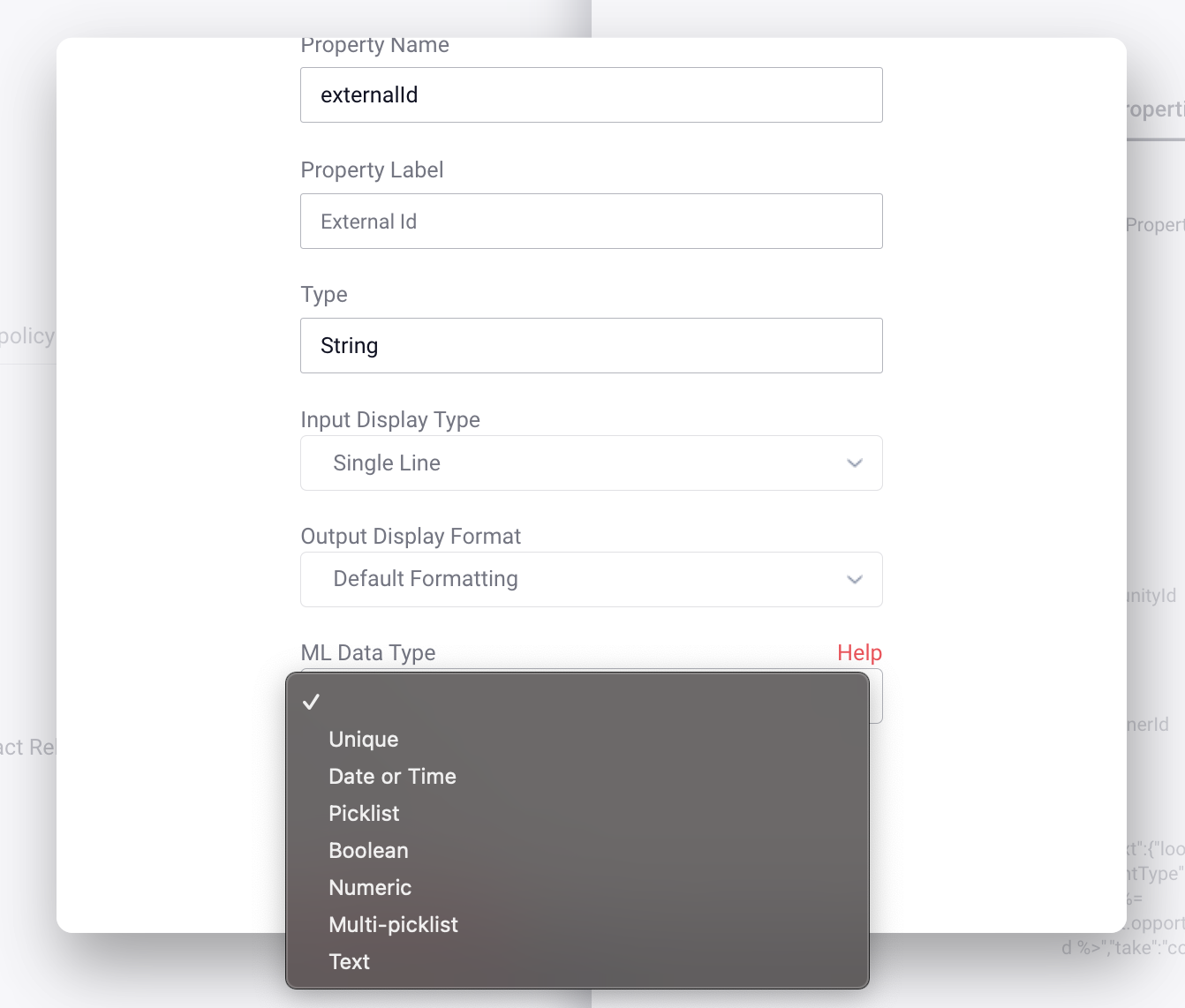
In the Property Mapping window, select the appropriate ML Data Type from the dropdown
-
Click done, then click finalize
Replies have been locked on this page!