


Administrators, ensure you're logged into the Intelligence Platform. If your org has GUM enabled, add users to GUM before proceeding.
Adding User(s) to Intelligence
-
Mediafly users: Go to Administrative Settings > Report Management, proceed to step 2.
Revenue Intelligence only users: Go to Settings - Click Users under the User Management tab in the settings menu. GUM User proceed to Step 4.
-
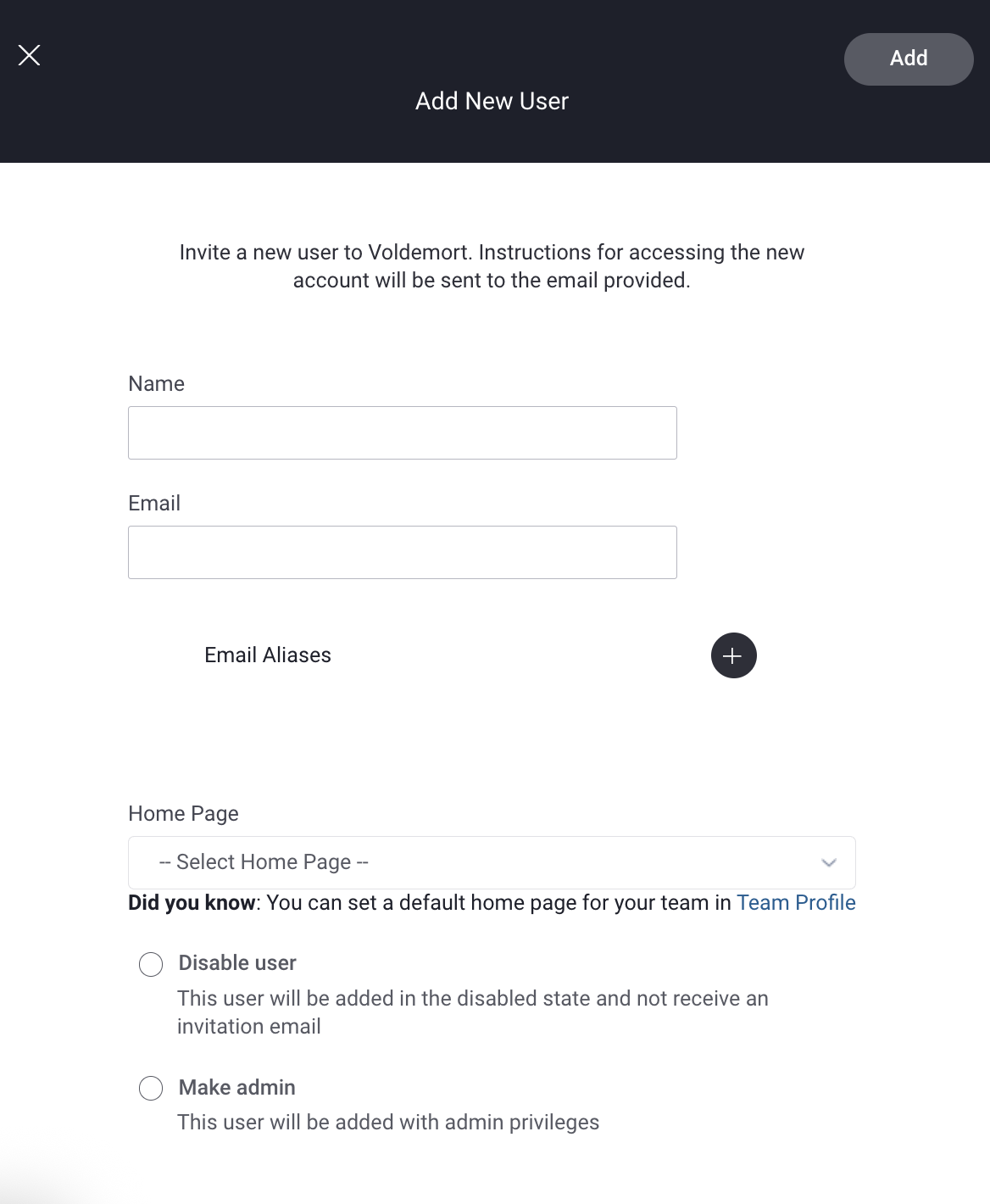
Click on the +New User button then complete the following:
▪enter the name and email of your new user
▪option: Disable User (don't send an invitation email, and the new user can't log in)
▪option: Make Admin (make the new user an admin of Intelligence)
▪click add
-
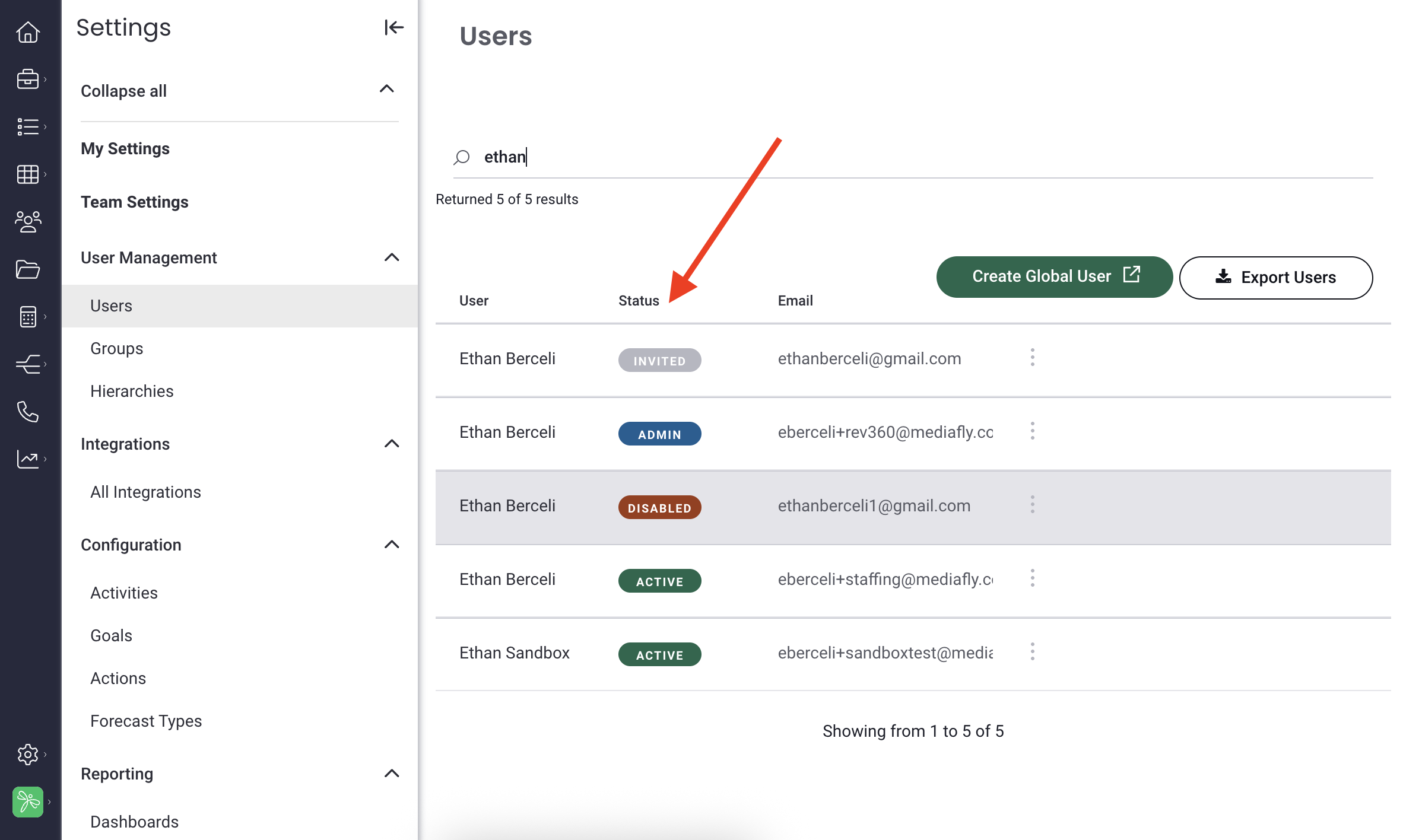
Once your user is added, you can view their status from the same user page:
Click on a user's name to view their details (User Details, Email Signature, Home Page, Global User ID, Apps, Groups, Feature Access, Board Access, etc.).
Replies have been locked on this page!