


With one click you can effortlessly receive the most relevant and up-to-date information directly in your inbox. Imagine starting your week with a comprehensive overview of critical insights – all neatly organized and waiting for you every Monday morning at 9am. Select which dashboards to subscribe to and instantly initiate a data-driven routine and streamline your decision-making and prioritization process.
Subscribing to a Dashboard
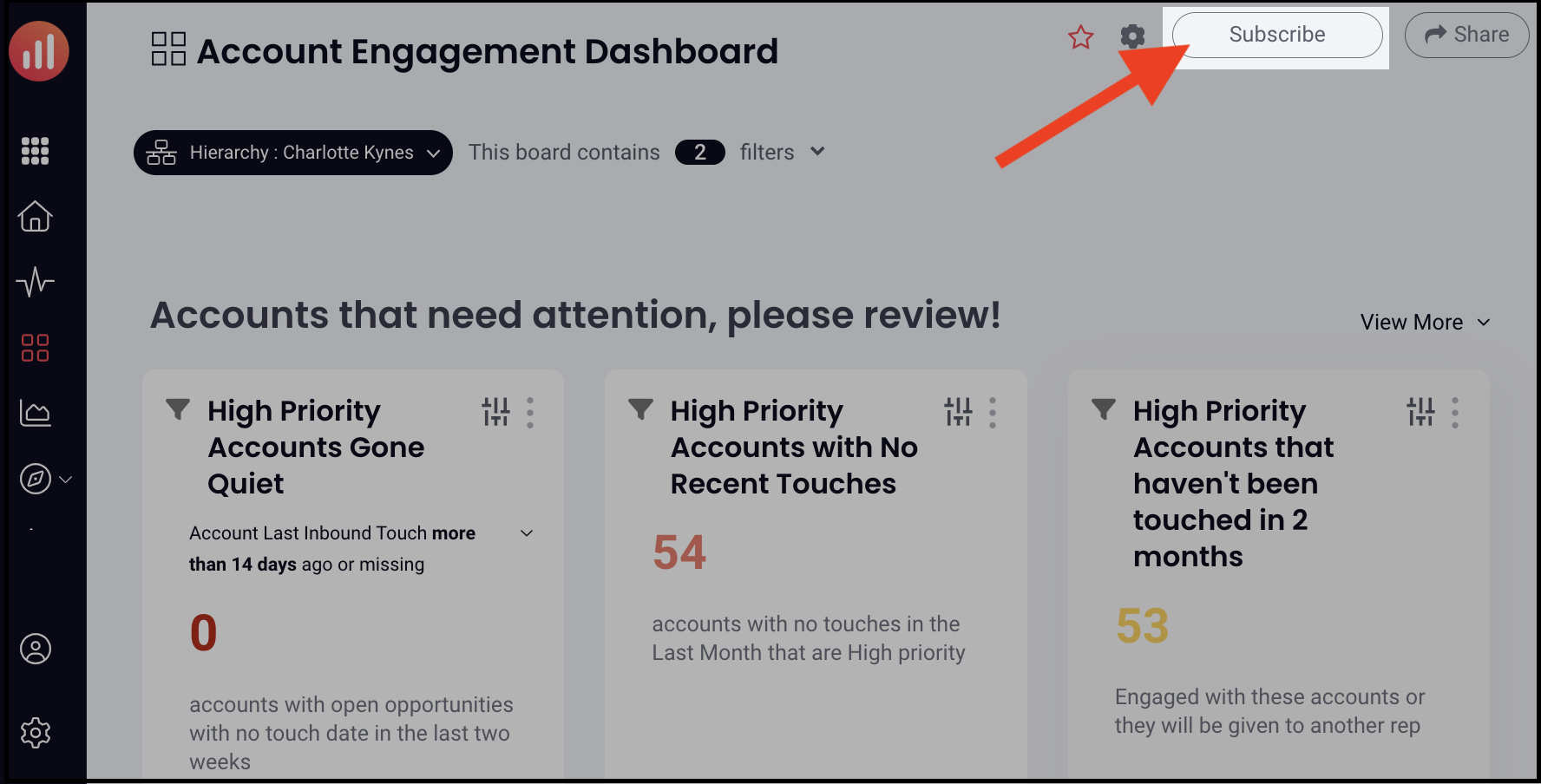
- Open the dashboard to which you want to subscribe
- Click Subscribe in the top right corner
- Receive automate weekly updates in your email inbox at 9am every Monday
Managing Subscription / Unsubscribing
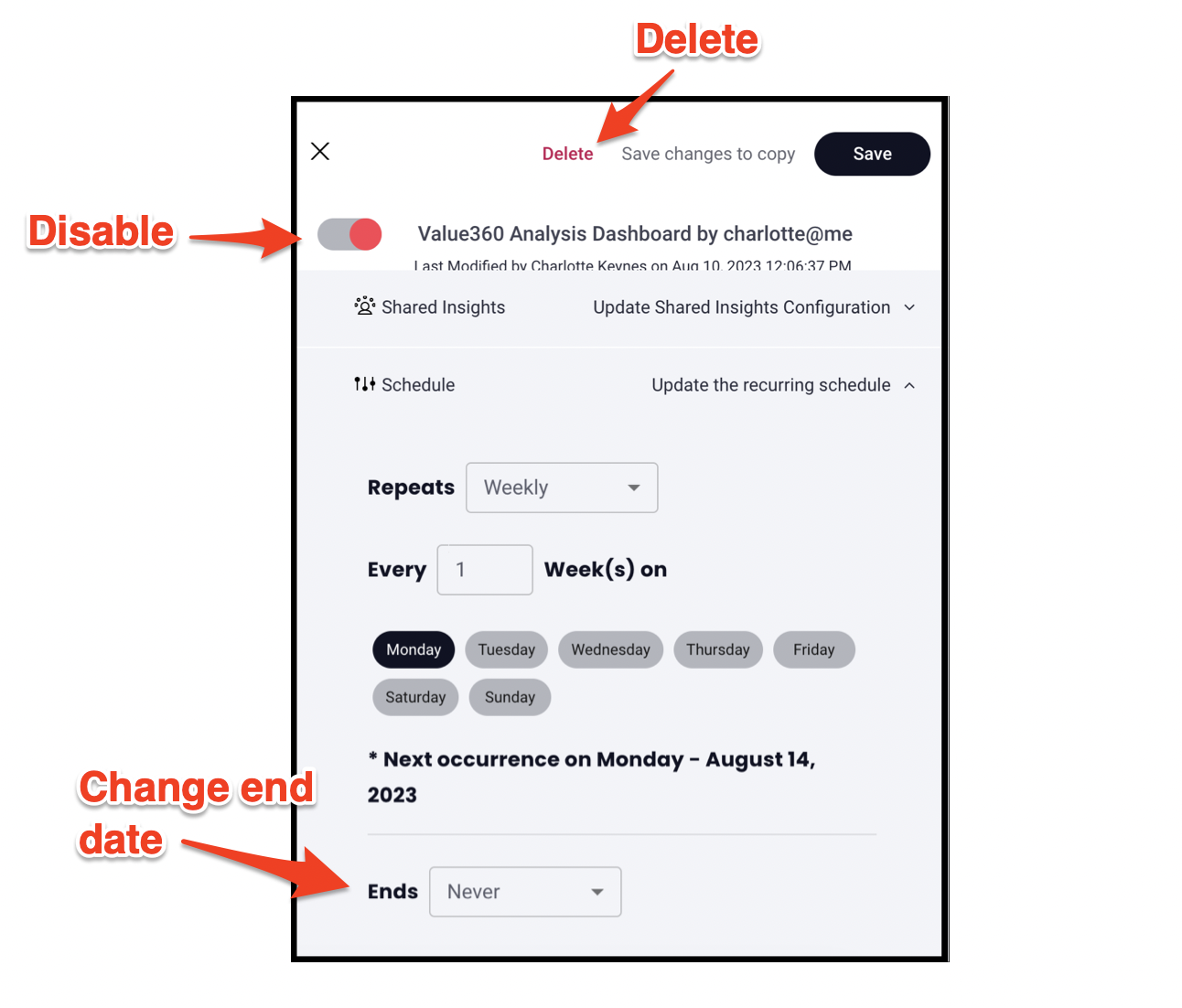
- Go to Settings (Or click Unsubscribe to instantly open the window to review schedule or unsubscribe)
- Click Shared Reports
- Select a dashboard
- Click Schedule to review, update, or end schedule emails (click here to learn more about updating the dashboard schedule)
- Deleting or disabling will unsubscribe
Replies have been locked on this page!