


The Mediafly Intelligence Platform's Interactive Reports are for detailed ad-hoc inspection of lists of records, it often looks like “I don’t know what I’m looking for, but I’ll know it when I see it." These reports are buildable, flexible, adaptable and ensure that the data you want is available as quickly as you can think about needing it!
Interactive Reports support our five main content types to support various use cases:
-
Leads (SFDC Only)
-
Ex. Pipeline review meetings / Forecast review meetings
-
Ex. Stalled deal inspection review
-
-
Contacts
-
Ex. Customer contact engagement review
-
Ex. Personal engagement review
-
Ex. Account contact engagement review
-
-
Accounts
-
Ex. Critical Accounts Review
-
Ex. Target accounts engagement review
-
-
Opportunities
-
Ex. Pipeline review meetings / Forecast review meetings
-
Ex. Stalled deal inspection review
-
Interactive Report Components
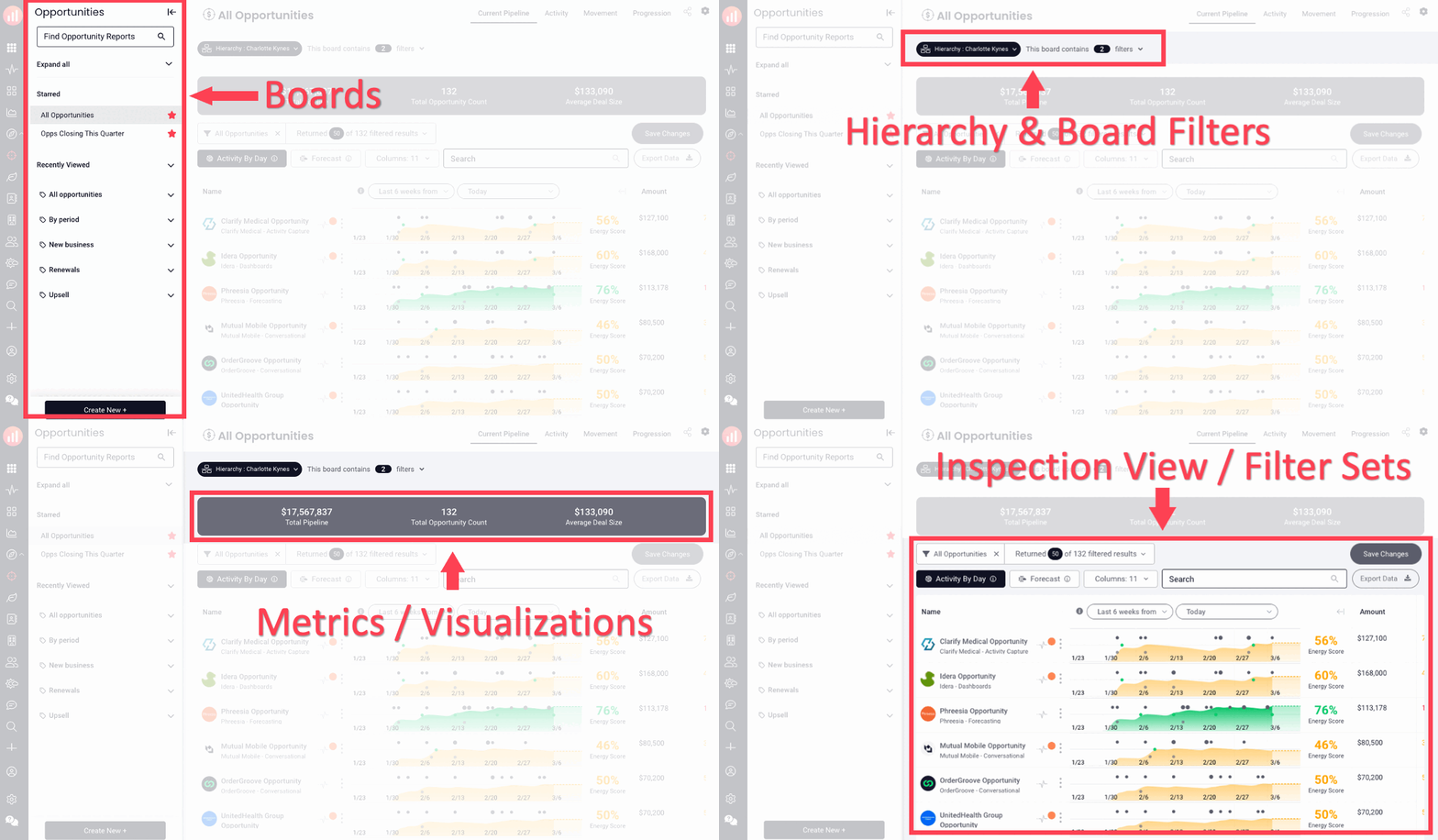
While clicking on one content type will open the interactive reporting experience for that content type, the interactive report experience itself is the same and has the same components for all types.
-
Boards are sets of records that match certain criteria with a good label for your business users.
-
Hierarchy and Board Filters are the “who” and “what” you're looking at.
-
Metrics / Visualizations are summary metrics, a key report, or activity analytics.
-
Inspection View / Filter Sets show what fields and data do you want to inspect, like:
-
Activity by Day
-
Forecast Inspection
-
Data Columns
-
Record Details
-
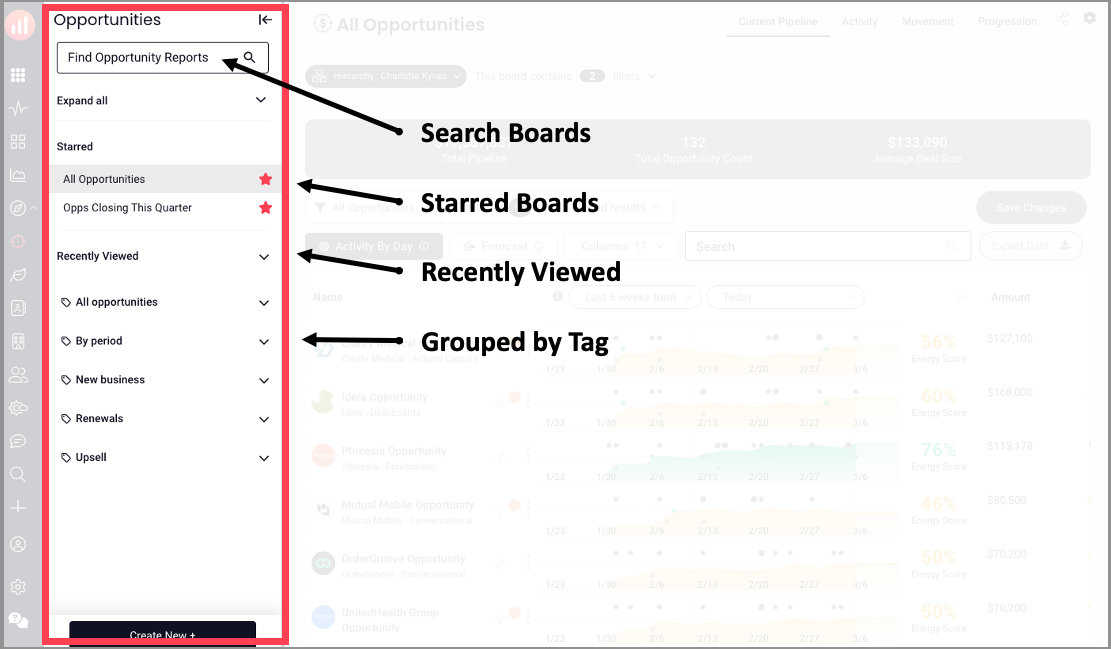
Boards
Boards are the high-level internal names for sets of records you want to manage, for example, New Business, Early Stage, Customer Contacts, etc.
Each Board is completely flexible and shows the filters being applied for that set of records.
Hierarchy and Board Filters
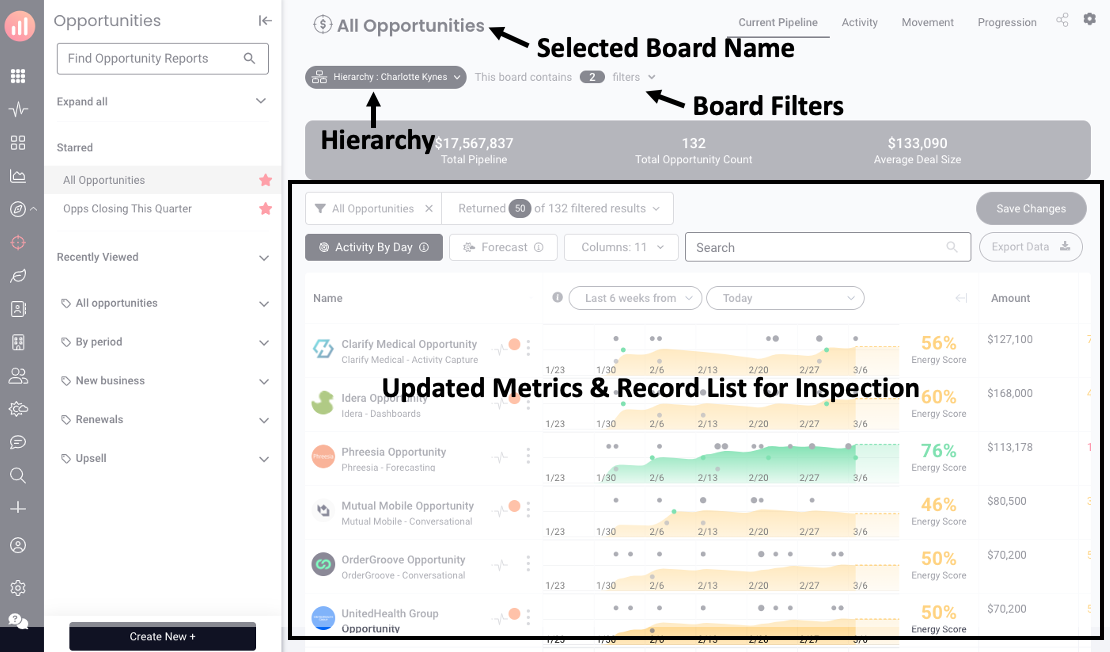
Once you’ve selected a board, such as "Early Stage Opportunities", the page will automatically filter to the right set of opportunities. The board filters show you what data is being used to filter (no hidden filters).
Selecting someone in the hierarchy will filter down to just that person and their team rollup.
Metrics / Visualizations
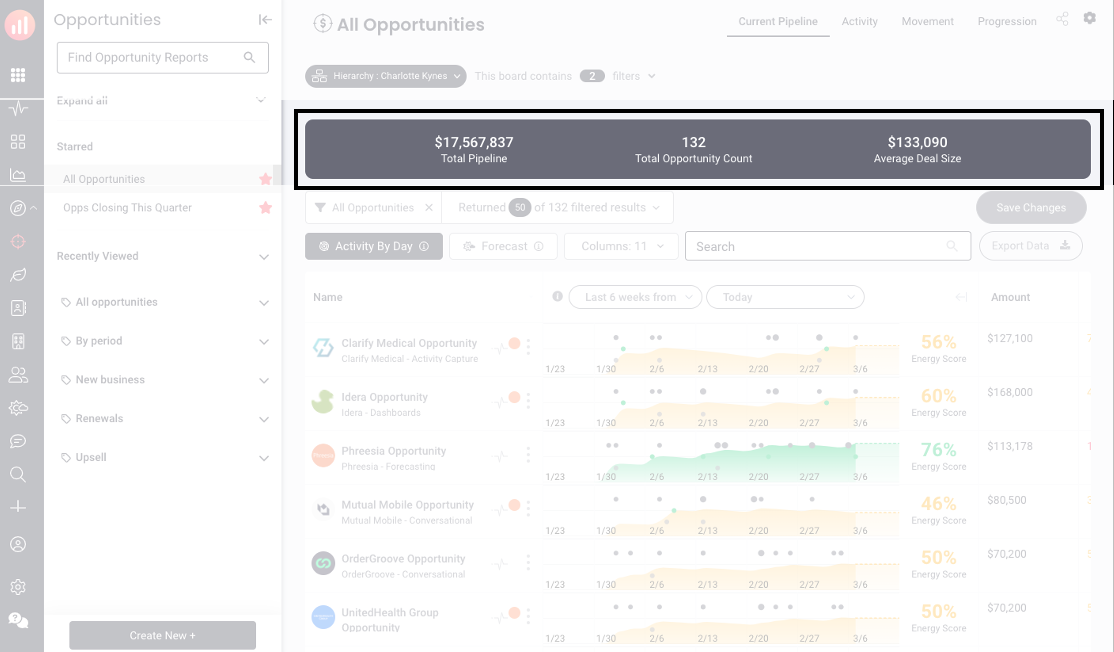
Summary metrics, a key report, or activity analytics.
Inspection View / Filter Sets & Columns
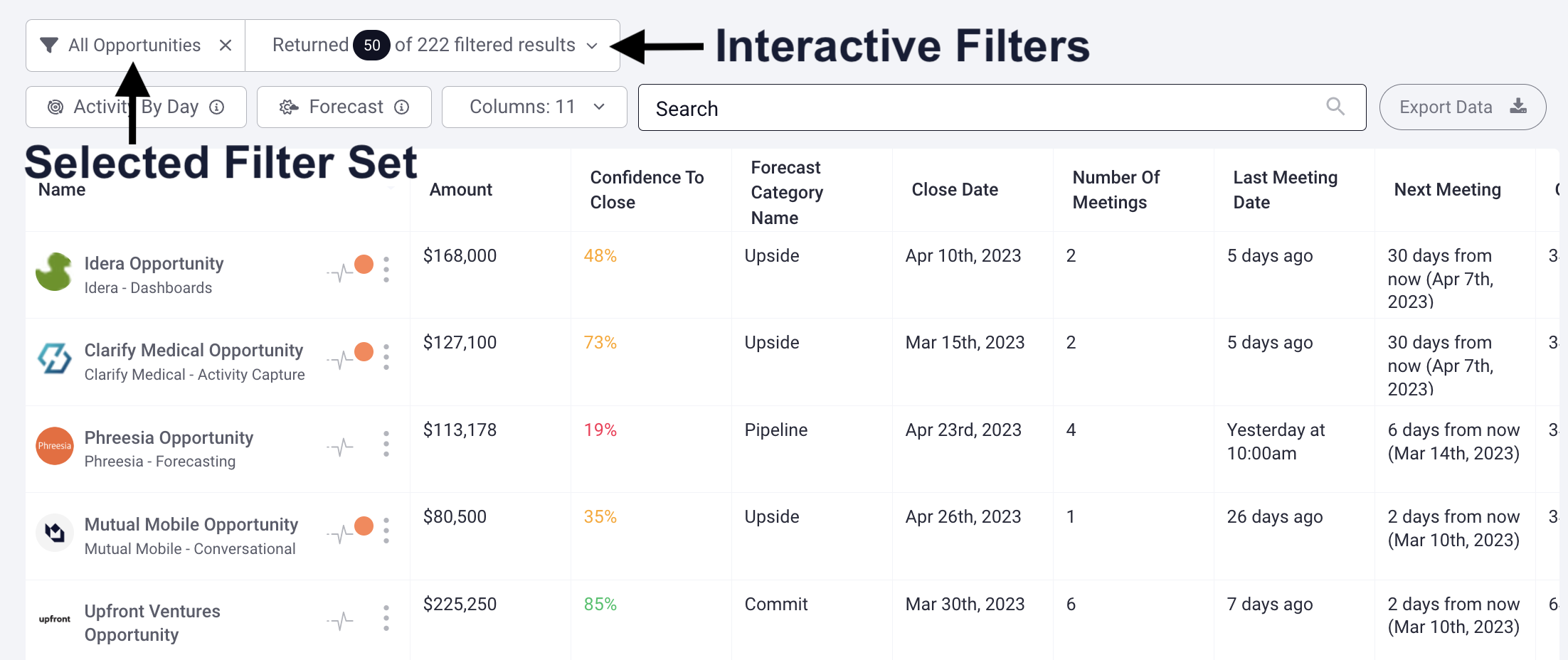
Using Filter Sets
What if you want to change what data you inspect for a set of records? Filter sets allow you to create “inspection views” that control the filtered data. You can use this to change how you review records. You can also choose which properties to view as a column in the report.
Continuing without our example of inspecting early-stage opportunities, here are some common filter sets:
-
Engagement Inspection
-
Last Call Inspection
-
MEDDIC Coaching
-
Click here for a list of our out of the box filter set
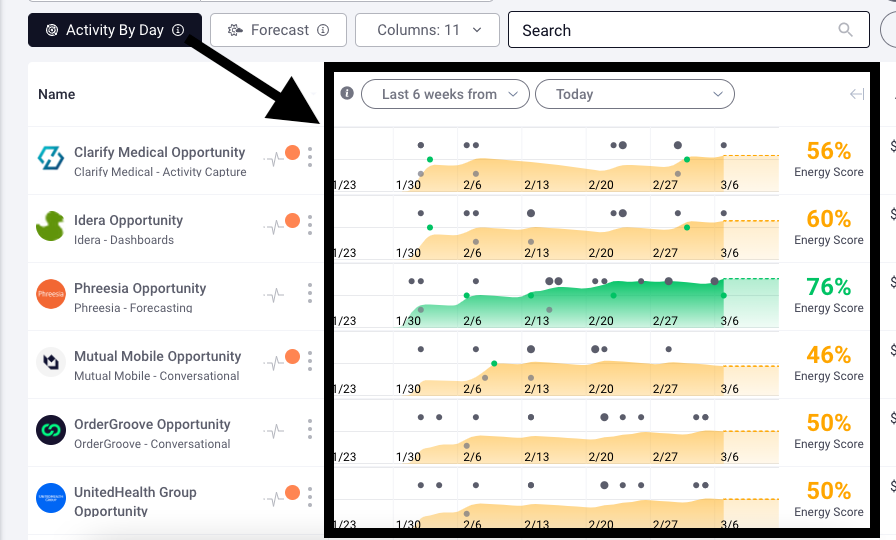
Activity by Day
How can you inspect the activity of an engagement? Activity by Day shows the daily engagement for a given record. You can use this to manage execution individually to:
-
Enable/disable the feature by report
-
Turn individual activity types on/off
-
Change the standard labels
-
Change the timeframe of activity
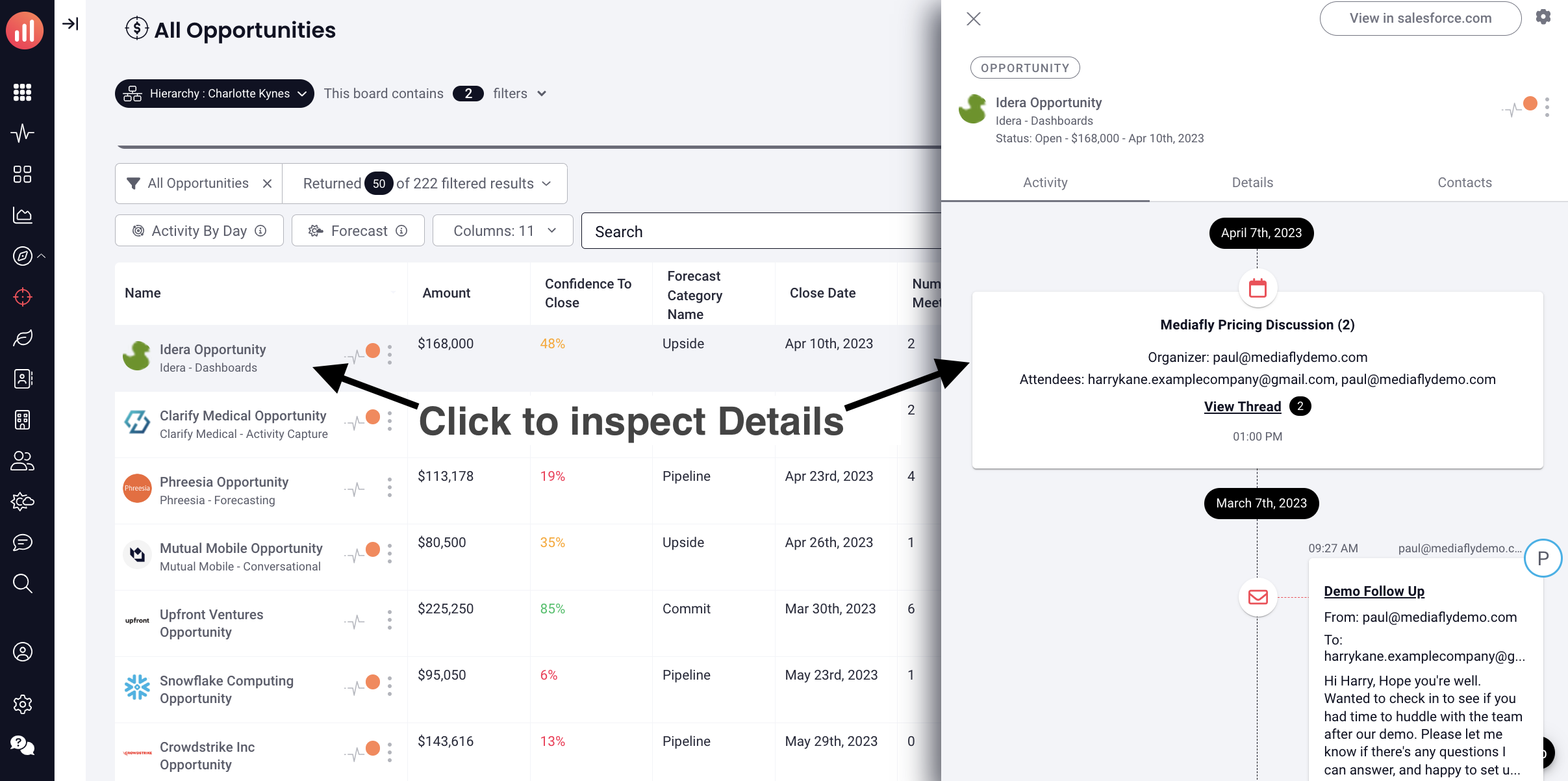
Record Details Inspection
All CRM records have a “details” view that includes all the CRM fields, all activity enriched fields, the activity for the record, and other related records.
Pro tips:
-
You can group fields with tags
-
You can hide fields
-
Every record links to the CRM
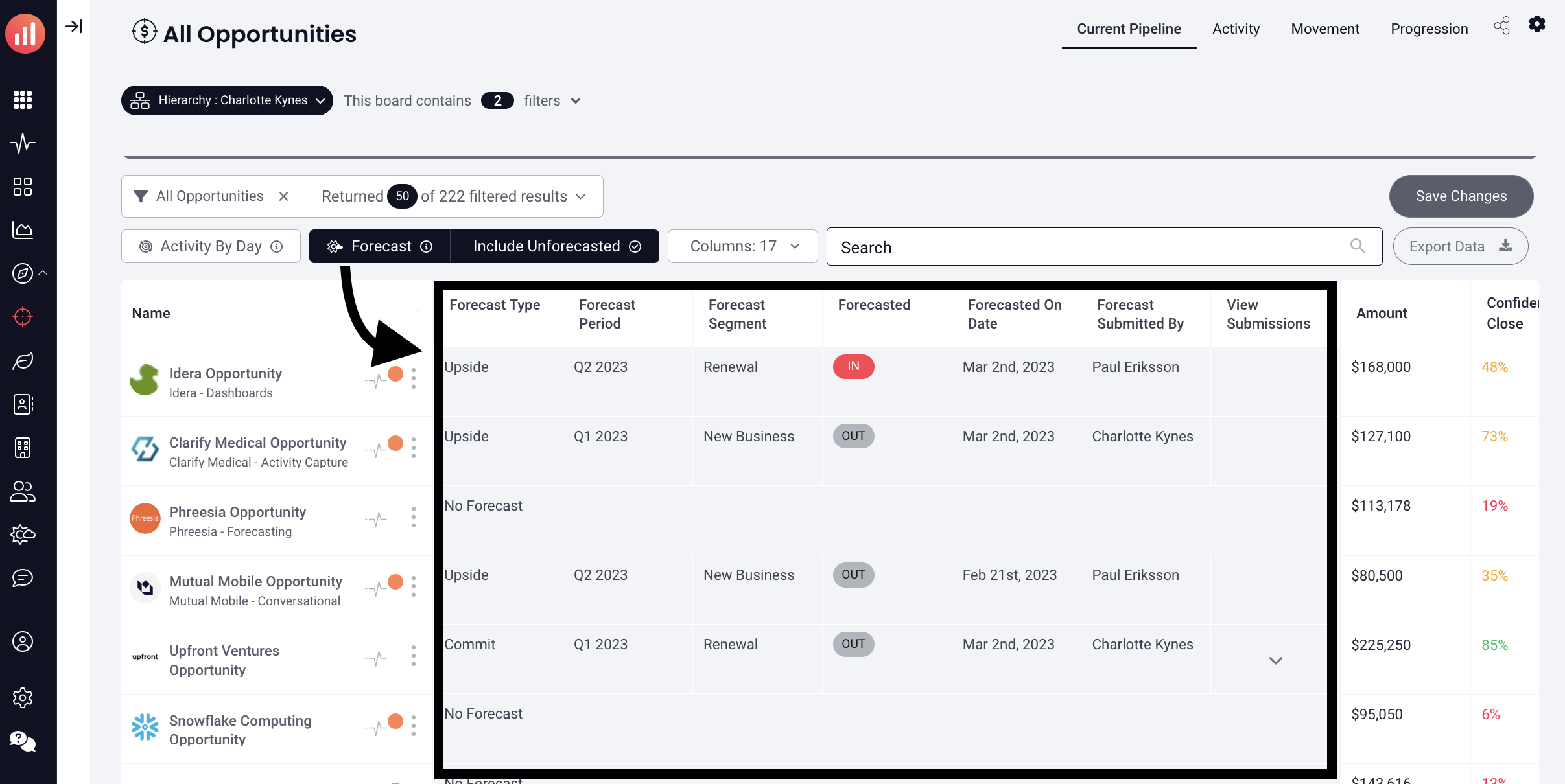
Opportunity Forecast Inspection / Reporting
You can inspect the forecast status of and manage an opportunity and you can:
-
Enable/disable the feature by report
-
Add/remove the default column
-
Filter to a specific period or type (i.e. sept 2021 or commit)
-
Expand to show all historical forecasts
Managing Filter Sets & Columns
Admins can control the default view and data being inspected for any given filter set. Make sure you use the business terms for how you run your business to help users understand what they are looking at.
You can easily:
-
Sort by a column
-
Add columns on the fly
-
Filter on ANY property
-
Share/Copy/Delete reports
Replies have been locked on this page!