


Intelligence provides a powerful data mapping layer that creates lots of data. Not all fields created by Intelligence may be applicable to all businesses. As an example, not all companies use CI, or activity capture, or campaigns. As we benchmark every step in your sales process you may find that some fields aren't relevant to you and you'd like to remove them from all your reports at once.
It's easy to remove a field by disabling it in the Applications data mapping layer. You will need an Intelligence admin in your org to help to do this.
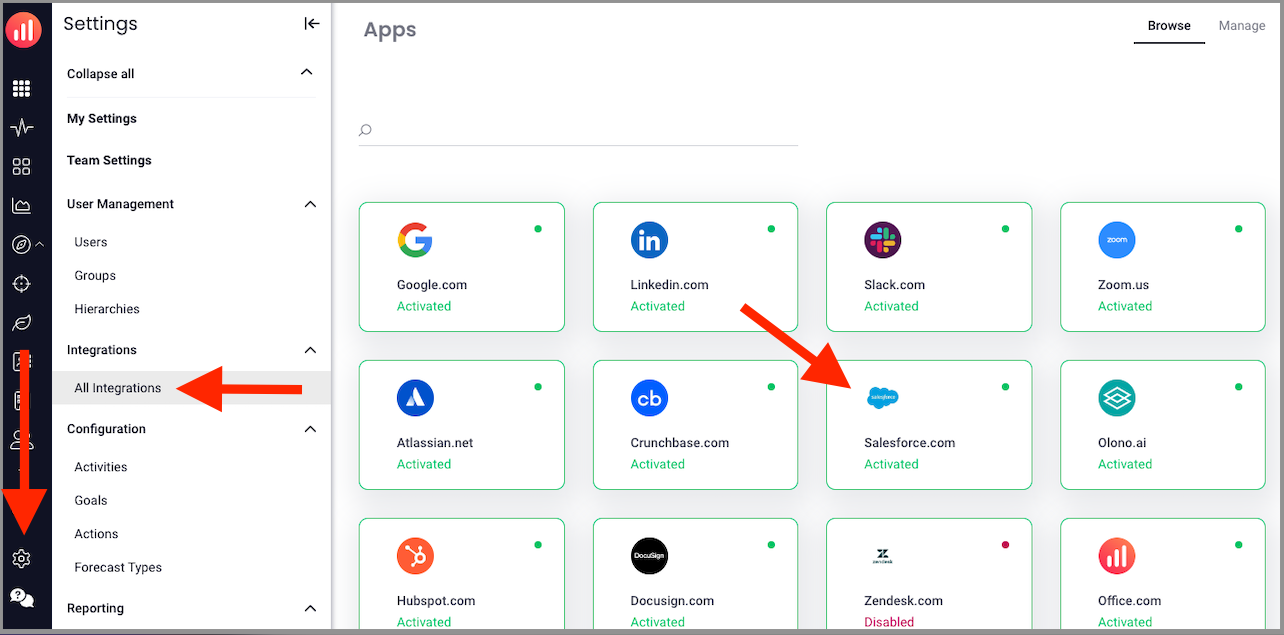
- Go to Settings > All Integrations > Select the integration you need (eg., Salesforce):
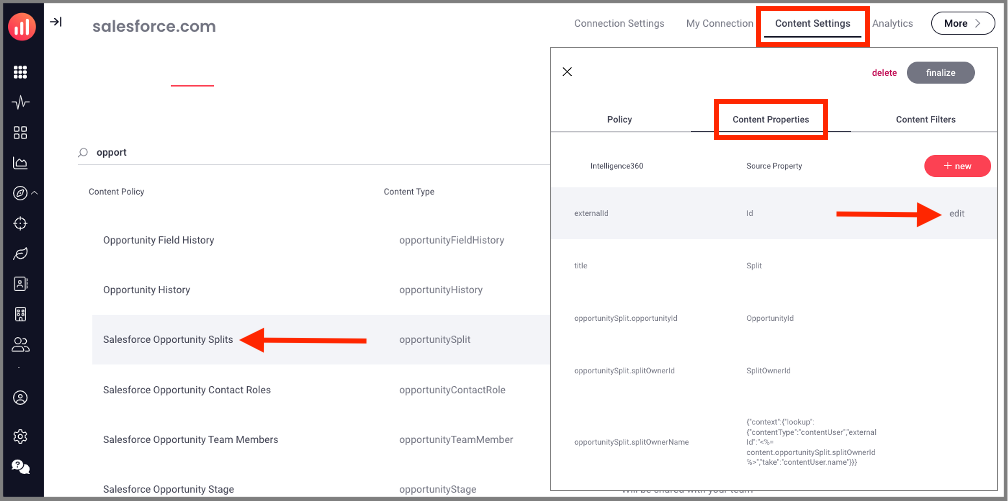
- Click Content Settings > select the desired policy > Click Content Properties > Hover over the field you want to remove and click Edit
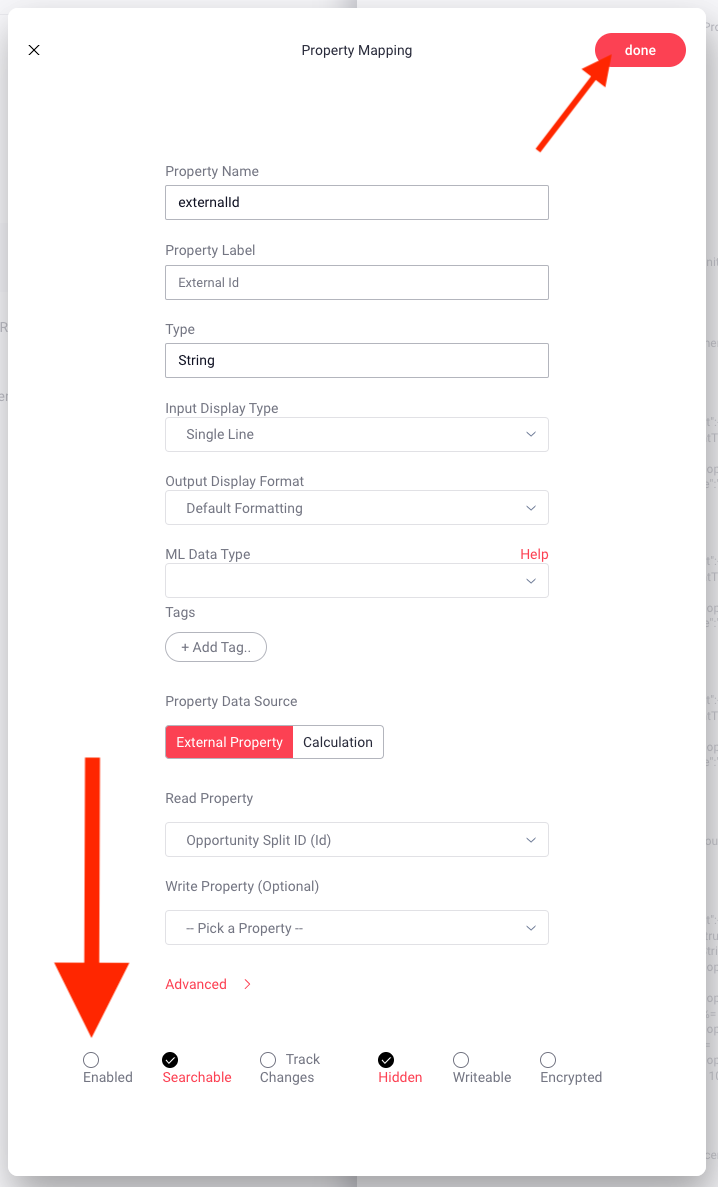
- Scroll to the bottom, and un-check "enabled", then click done.
Replies have been locked on this page!