


Workspaces allow you to create powerful visualizations of your content. Adding graphics to your Workspace help you stay on brand and tell your story. We recommend the following image sizes when adding graphics to your workspace.
Note: The logo in the top-left nav doubles as a “home” button and returns users to the Workspace homepage.
Graphic Recommendations
Workspace Banner Section Type:
- Mediafly will automatically scale banner images to meet the width of the screen and match the selected height you configure.
- Please ensure you provide an image wide enough for larger monitors at higher resolutions (suggestion 2000px or more for a default height of 300 px), and if your image appears distorted, increase the width to height ratio.
Custom Workspace Banners:
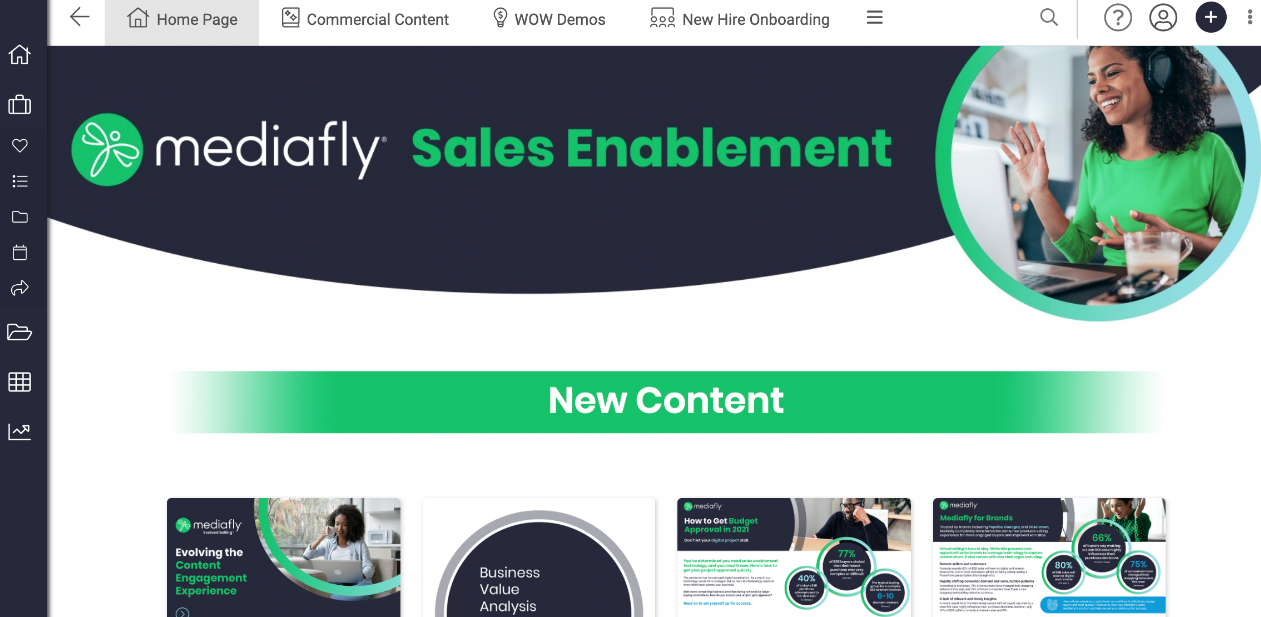
- 3000x300px (Example below: Mediafly Sales Enablement)
- 1700x100px (Example below: New Content)
- Banners are displayed at a fixed height and full width; therefore, edges may crop depending on user screen width and the image’s aspect ratio.
Workspace Thumbnails:
- 500x500px (We recommend square thumbnails. However, any height/width can be uploaded. Uploading the same height/width thumbnails across folders and content will ensure uniformity)
- When a Workspace doesn’t have a custom thumbnail set, a default/fallback thumbnail is applied automatically.
Workspace Backgrounds:
- Image resolution: 2732x2048px
- We suggest using images without text for backgrounds to ensure no area is covered by Workspace content
- If you would like to include text on background images, use smaller fonts along with the following guidance:
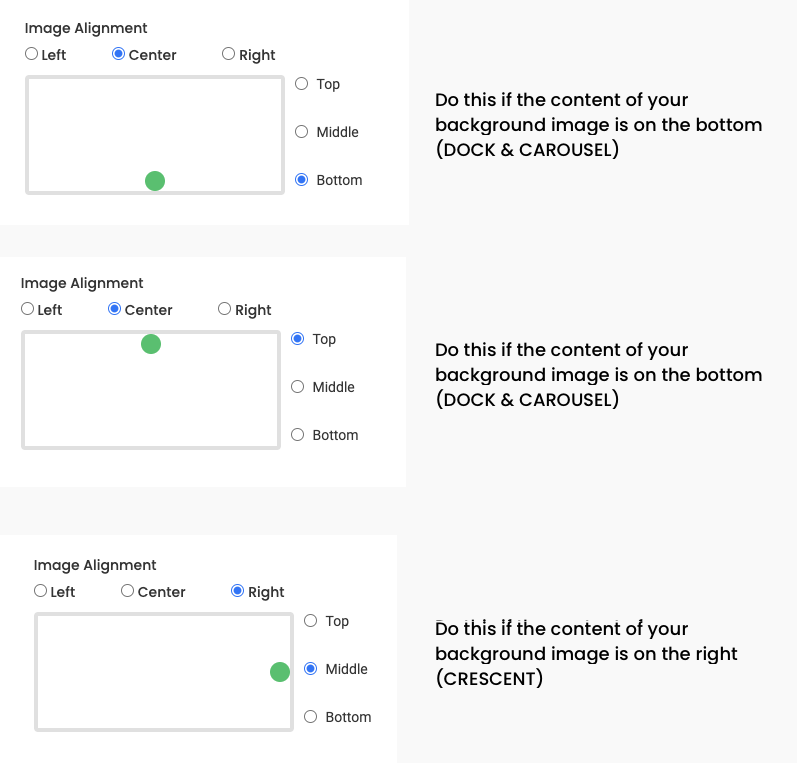
- For Dock and Carousel type: align text to center top or bottom and pin image similarly when adding to Workspace
- For Crescent type: align text to right center and pin image similarly when adding to Workspace
- See image below for explicit settings
Replies have been locked on this page!