


Intelligence comes equipped with a multitude of activity definitions relating to Accounts, Opportunities, Contacts, Leads, and People but our mission is to ensure you can customize the power of the platform so that it works best for you.
You can create custom or customize existing activity definitions to adapt to your business process and capture the exact data you need to make proactive insights.
What is an activity?
Activities are the actions you or your team take move your business forward. (Ex. calls, emails, job order, etc.)
What is an activity definition?
Activity definitions establish how that activity relates to an opportunity, person, job order, etc. (Ex. Calls made to candidates, call = activity, calls made to candidates = activity definition)
Why do I need activity definitions?
Activity definitions equip you to create activity reports to track activity for any business outcome; you can track activity by person or against a set of opportunities, accounts, contacts or leads, like All Activities by Rep.
Activity Definition Management
You can create a new custom activity using one of our provided templates or select an existing activity and make it your own.
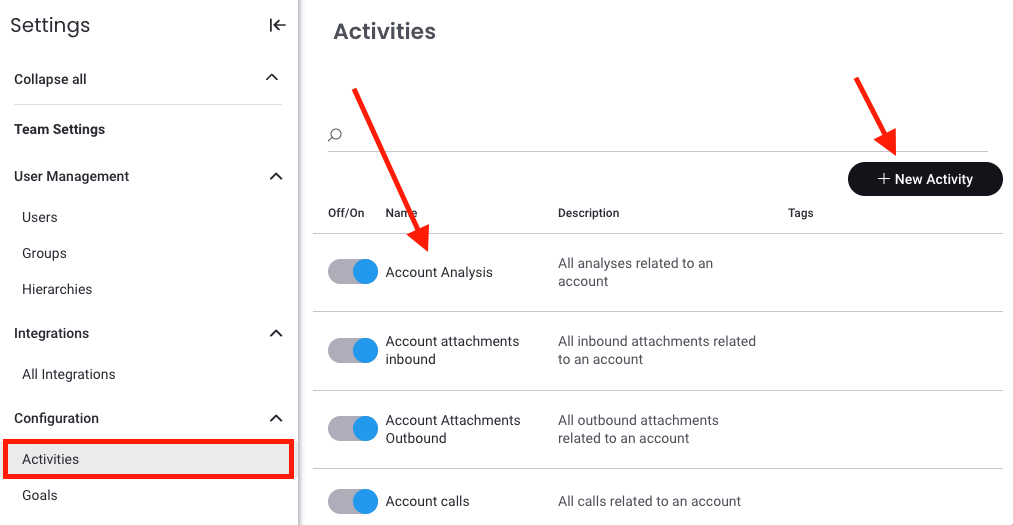
Go to Settings > Report Management > Activities .
*Revenue Intelligence ONLY users, click Settings in Revenue Intelligence, then select Activities.Add New or Update Existing?
▪Click +New Activity to add a new activity then proceed to Step 3 OR
▪Select an existing activity and jump to Step 5.Select the template that best fits your desired activity, click Next
Give the new activity a Name & Description, click Next
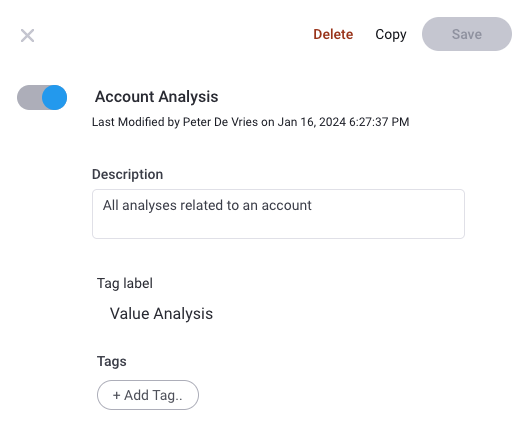
Activity details section
▪Visit Managing Activity by Day to learn how to enable/disable the activity
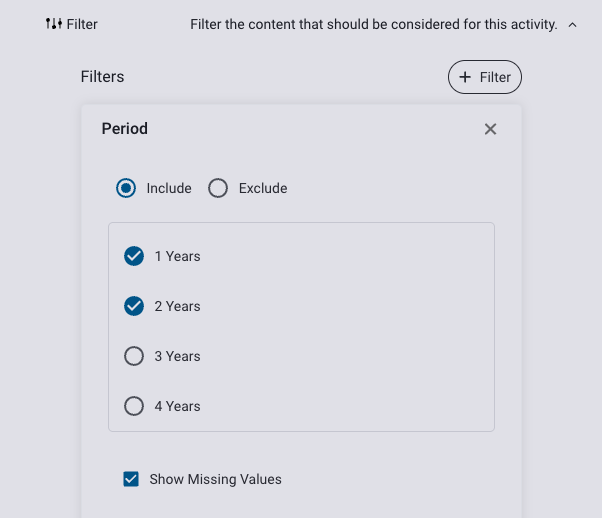
▪You can also edit the descriptions & tags in this sectionFilter section: visit Activity Definition Filters to learn how to filter the content that should be considered for the activity.
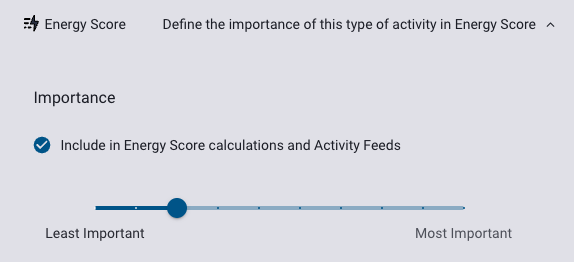
Energy Score section: Visit Managing Energy Score to learn how you can define the level of importance an activity has on your Energy Score.
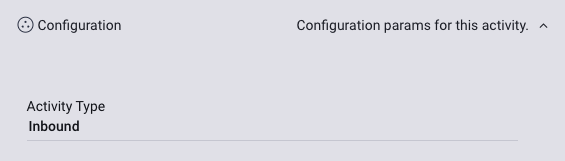
Configuration section: Determine whether the activity is inbound (coming into Intelligence from another source) or outbound (information going out of Intelligence).
Click Save
Replies have been locked on this page!