


Issue: Additional Logging Needed to Diagnose an Issue
Product: iOS App
Adjust the Log Levels in the Settings App
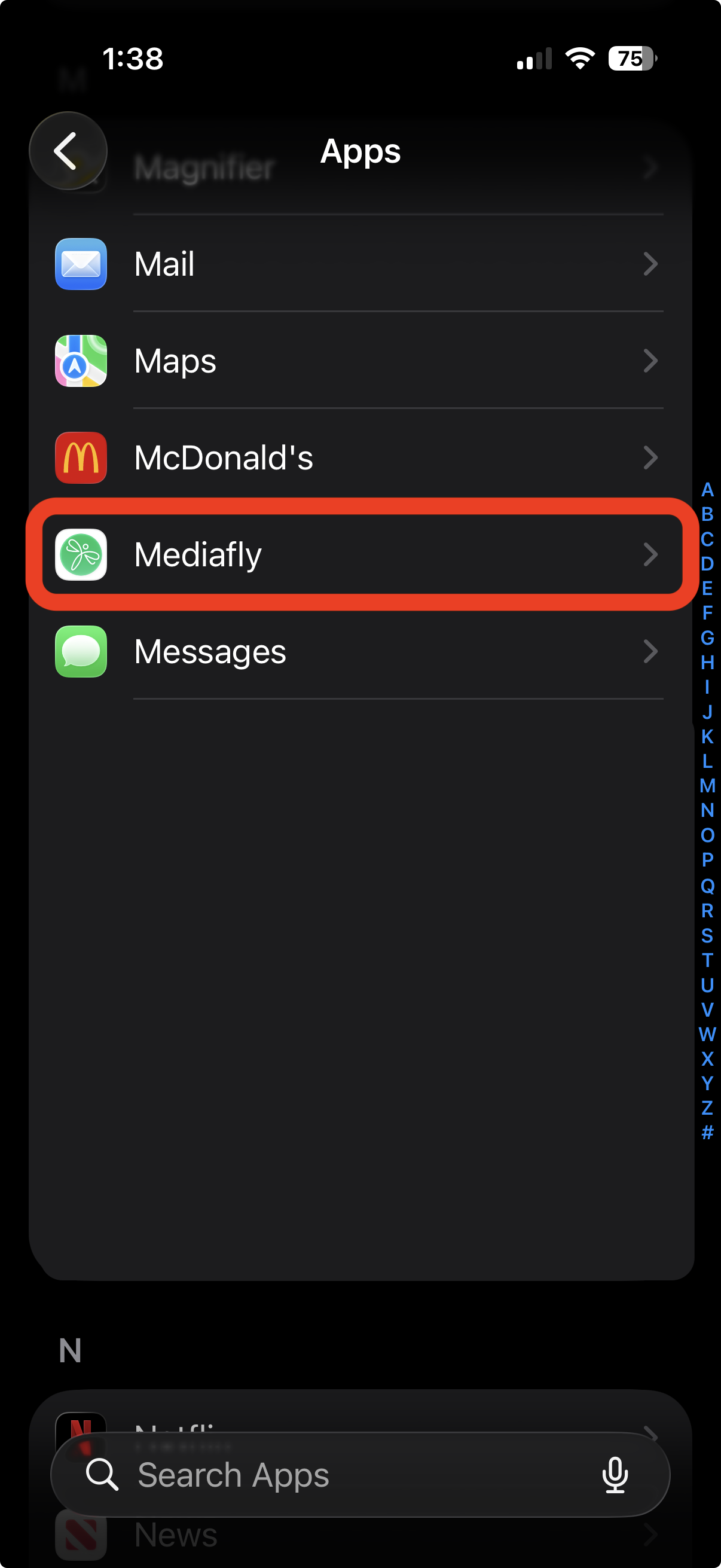
- Launch Settings > Apps
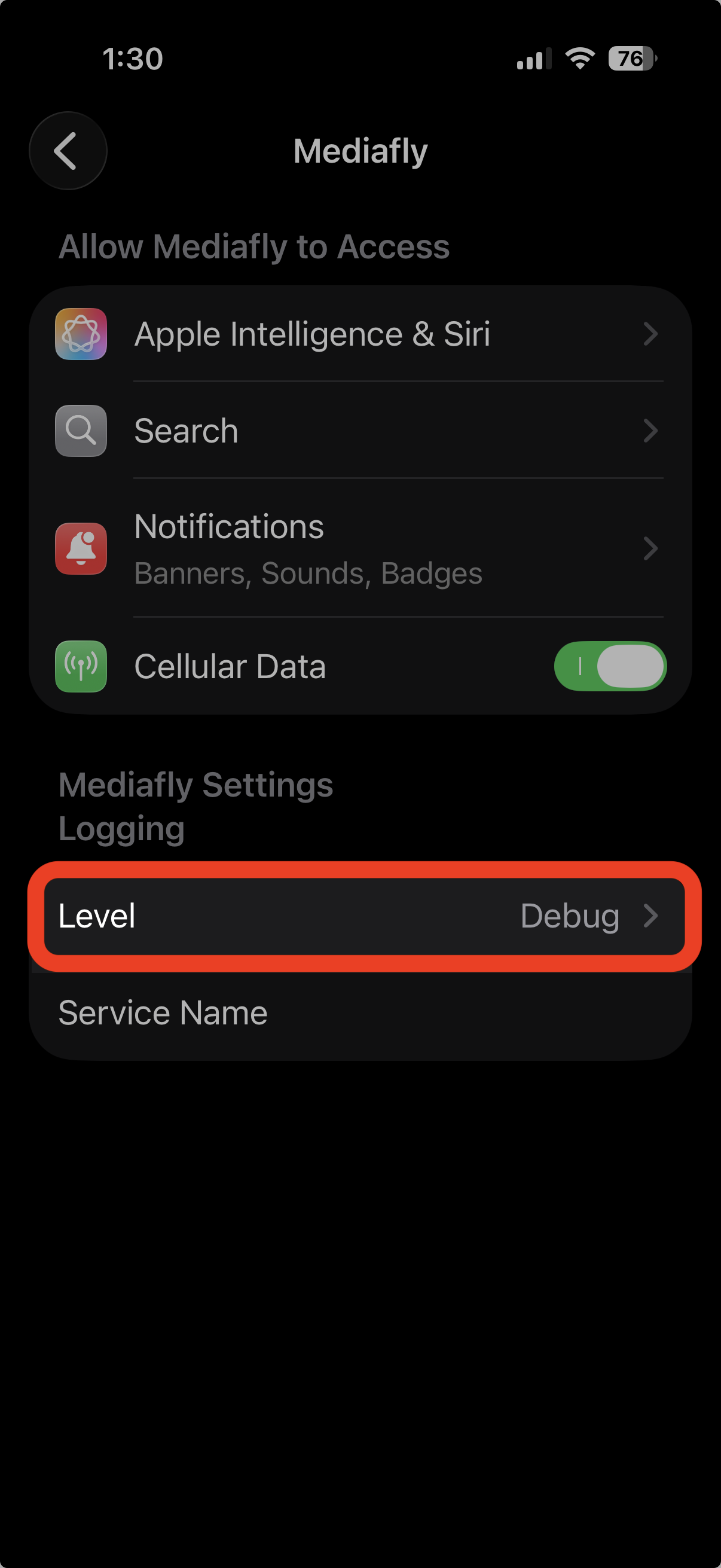
- Scroll down and select the Mediafly app
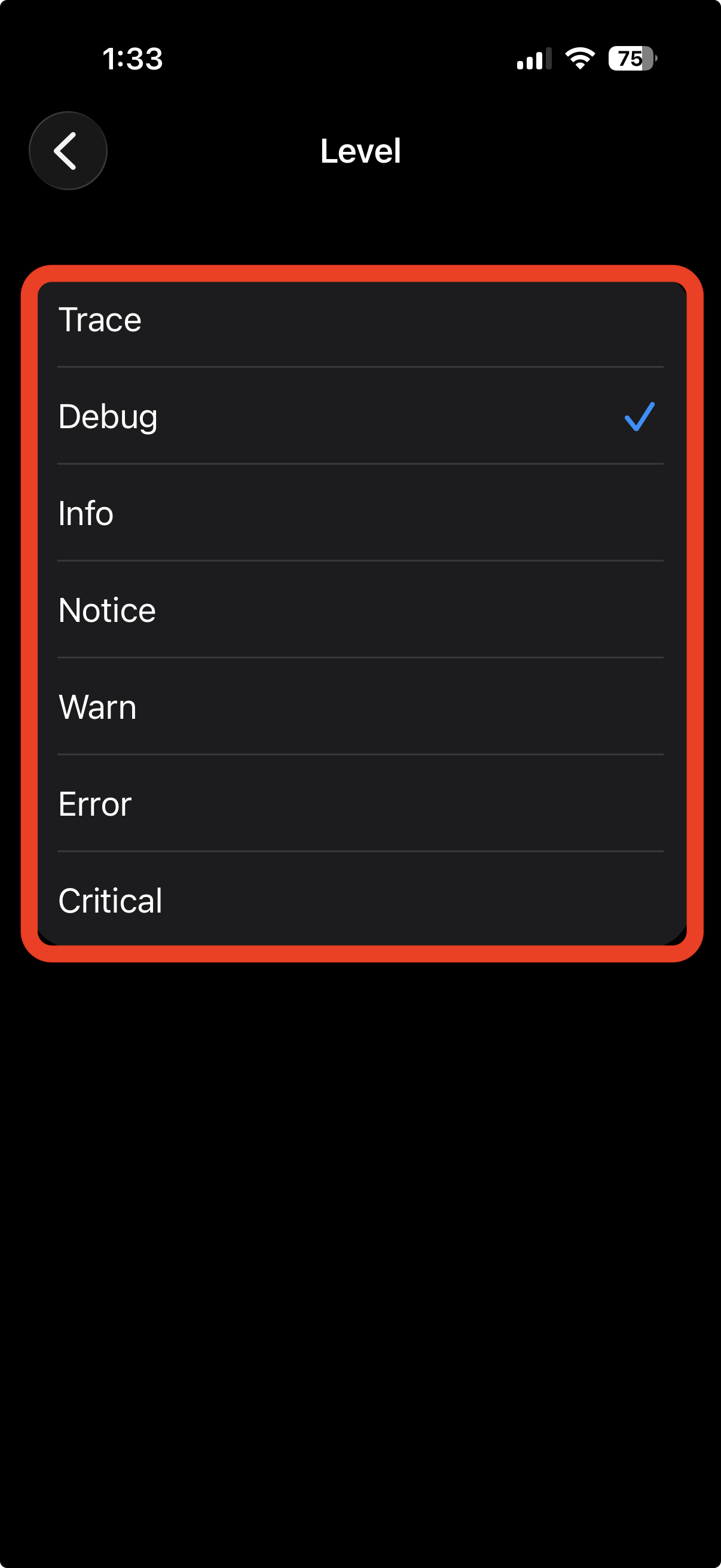
- Select Level
- Tap requested Log level
- Reproduce the reported issue
- Send Logs to logs@mediafly.com
Replies have been locked on this page!