


Create alignment around your value selling process by enabling automatic data transfer between your CRM and Value tools. This integration allows reps to effortlessly pull the most relevant and up to date information from the Account or Opportunity and pre-populate fields in their Analyses with a single click. No more duplicate discovery, manual data entry, or digging for the right information. Experience continuity, efficiency, and data-driven success like never before.
🚨 Prerequisite 🚨
You must first ensure that your Value the Salesforce Managed package is installed for your environment. If not, contact your CSM to get it set up.
Imagine being able to sync your Salesforce data on Annual Sales Revenue, # of Sales Reps, Gross Margin, values in the Pricing Calculator, etc. right into Value, no manual entry required!
Admin only
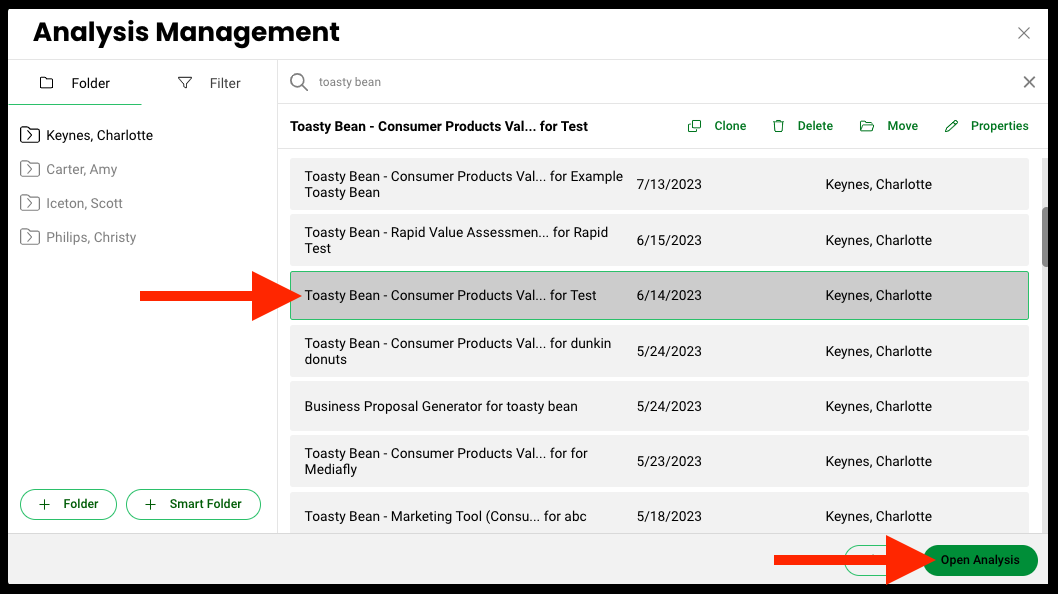
- In Value, open the Template where you want to map fields
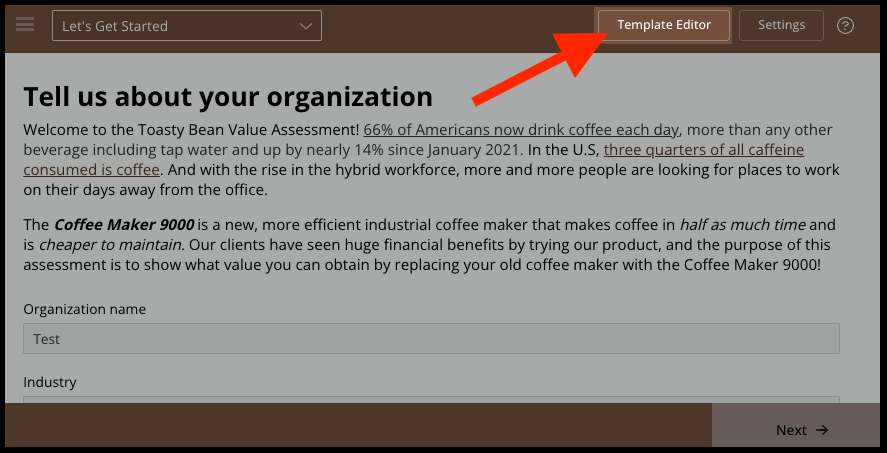
- Go to Template Editor
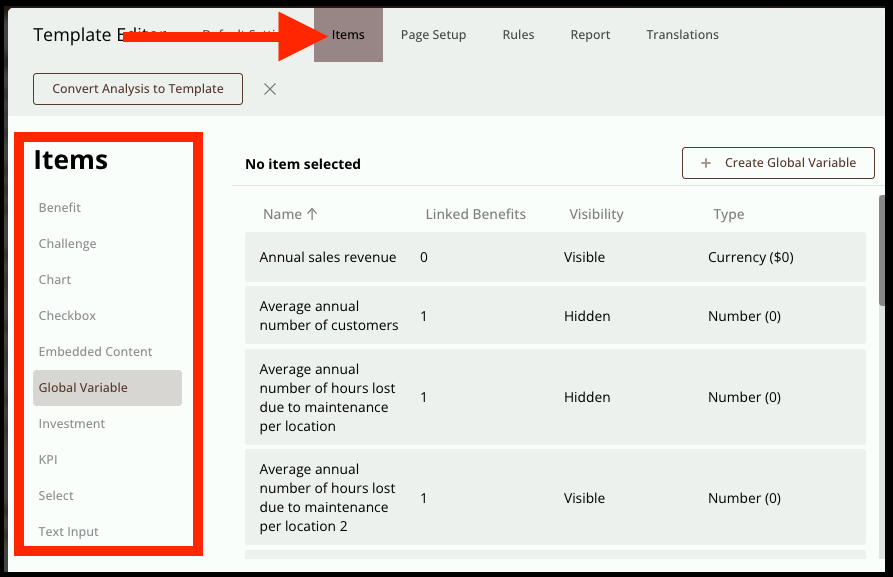
- Click on the Items tab
- From the list, select the item type you want to map (eg, Global Variable), then click Edit
(Note: You must select an item that has a value; not supported: benefits, charts, or embedded content)
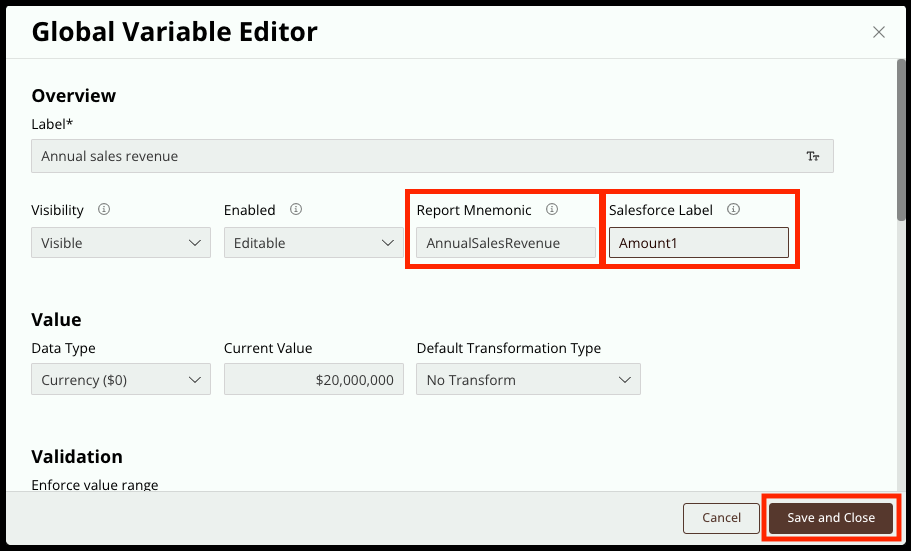
- Ensure the item has report mnemonic
- Enter a name for the Salesforce Label field (eg, Amount 1), then click Save and Close
- Next, click Publish Template Updates, takes about 5 minutes to process
- In another window, open Salesforce
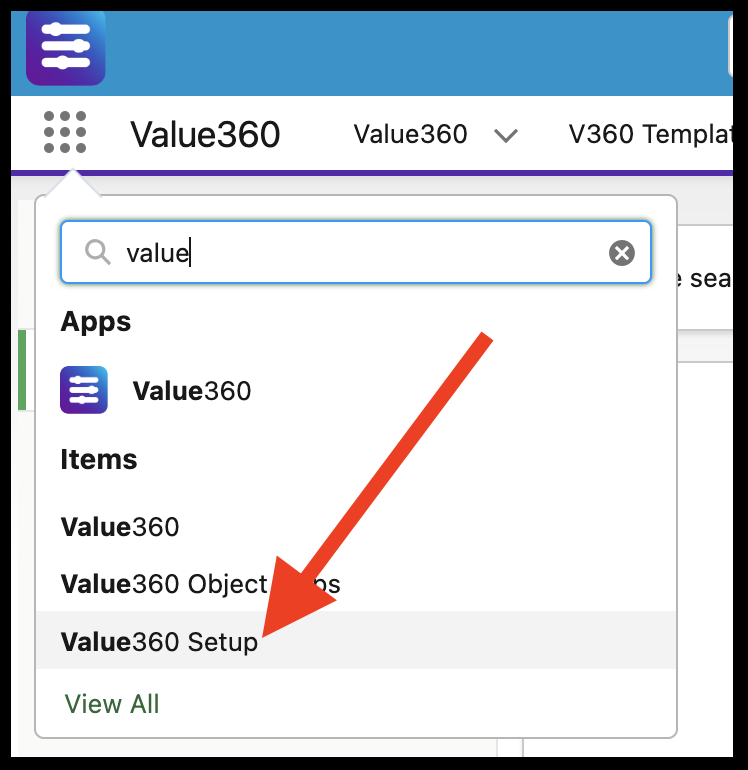
- Open Value Setup (Note: you must have admin rights in SFDC in order to access Setup)
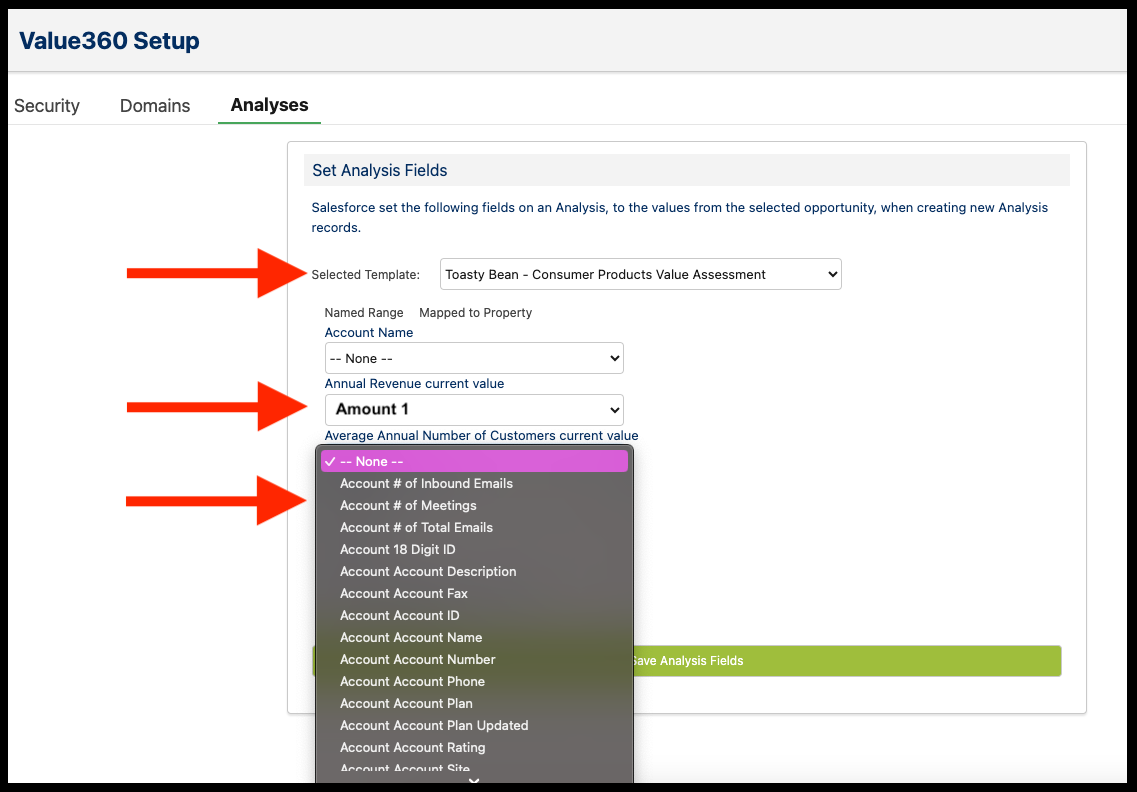
- Click on the Analyses Tab, then select the same template from Step 1
- This window will show the analysis' available fields
(Note: By default, Value already pulls in location, industry & account name from SFDC)
- You will see the field(s) that have Salesforce labels (eg, Amount 1)
- Beneath the mapped field there is a dropdown menu of all available fields on the account or opportunity object. Select which you want Value to pull when an Analysis is created.
Now when an analysis is created using the same template, the values in the fields that have been mapped with automatically be pulled into Value.
Pulling in the Opportunity and Account ID
For the Opp/Acc ID, you do not need to do any mapping in Salesforce. All you need to do is set up the fields in Value, then add the following mnemonics for each.
Account field mnemonic: crm-accountId
Opportunity field mnemonic: crm-opportunityId
Once an analysis is created from an account or opportunity, if the following fields exist in the template with the correct mnemonics, the ID's will pull in automatically. No additional configuration is required.
Replies have been locked on this page!