


Our AI call summarization uses generative AI to summarize calls, determine & list next steps, and isolate questions/answers from the call.
If your org has this feature enabled, scroll down the call card and select the "Call Summary" tab where an AI generated call summary, next steps, and questions & answers from the call will be available. Check out the example below.
If this feature is not currently enabled for your org, click here.
Jump to:
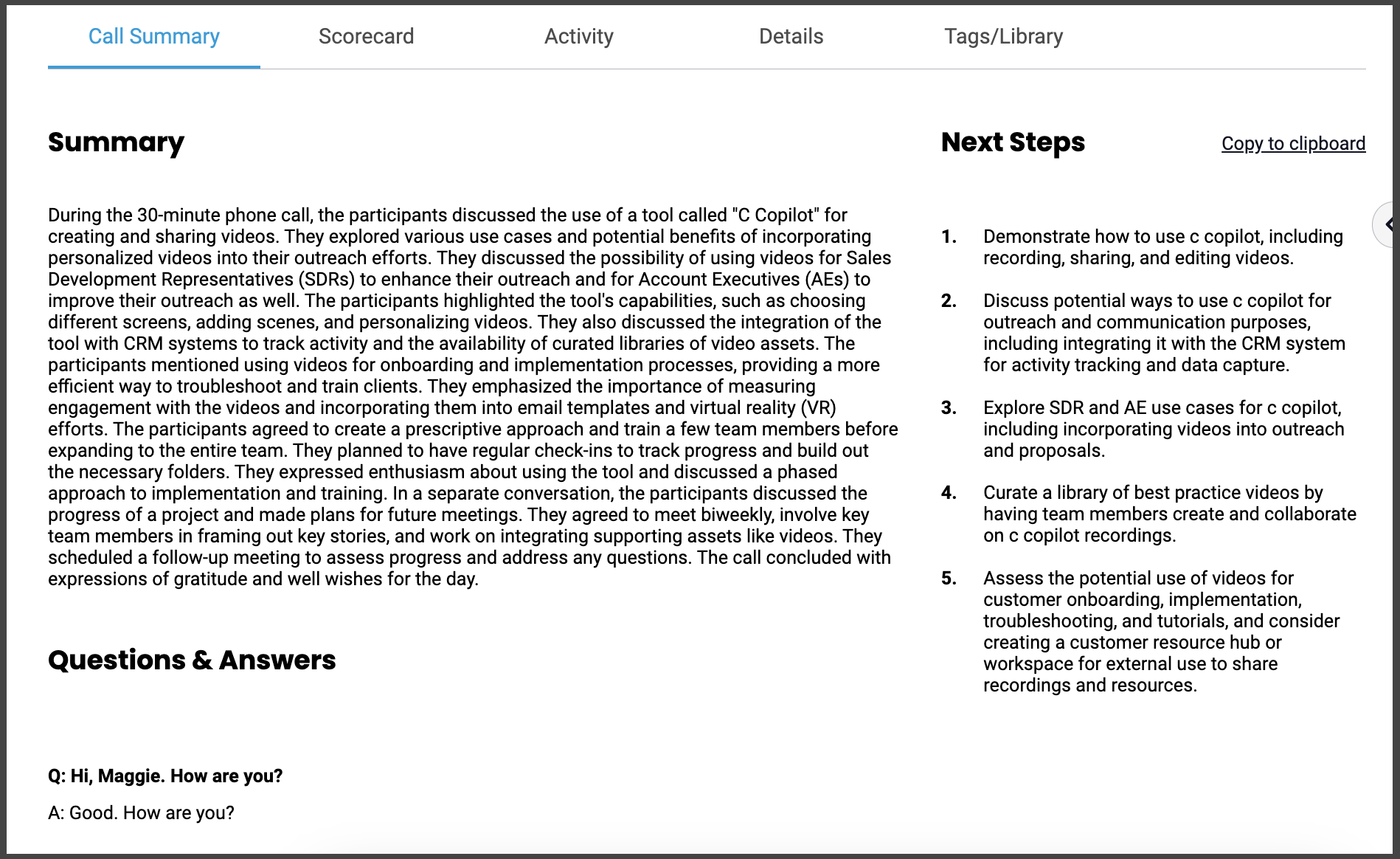
AI Generated Call Summary Benefits
Save Time: Instead of listening to entire calls, quickly access concise summaries of the most important points.
Enhance Productivity: By automatically determining and listing next steps from a call, AI-driven tools can help ensure that action items and follow-up tasks are not overlooked. This can lead to more productive and organized workflows.
Improve Decision-making: Summarizing calls and isolating questions and answers can help decision-makers quickly get to the heart of important discussions and extract valuable insights.
Training and coaching: For organizations that use call recordings for training and coaching purposes, AI-generated call summaries can serve as valuable training materials. They can help new employees learn from past interactions and allow managers to provide feedback based on specific call highlights.
Consistency: AI-driven call summarization provides a consistent and standardized way to extract key information from calls, reducing the risk of human error and ensuring that important details are consistently captured.
Scalability: As organizations grow and handle more calls, AI can help scale the process of summarizing and analyzing calls without the need for additional human resources.
Support Request to Enable AI Call Summary
To request enabling this feature:
- Click the link below to open a pre-filled ticket form (pictured below)
- Enter your org name where specified
- Submit! All of the other relevant data has already been completed for you.
👉 Click here to submit a request to change the name of your call bot. 👈
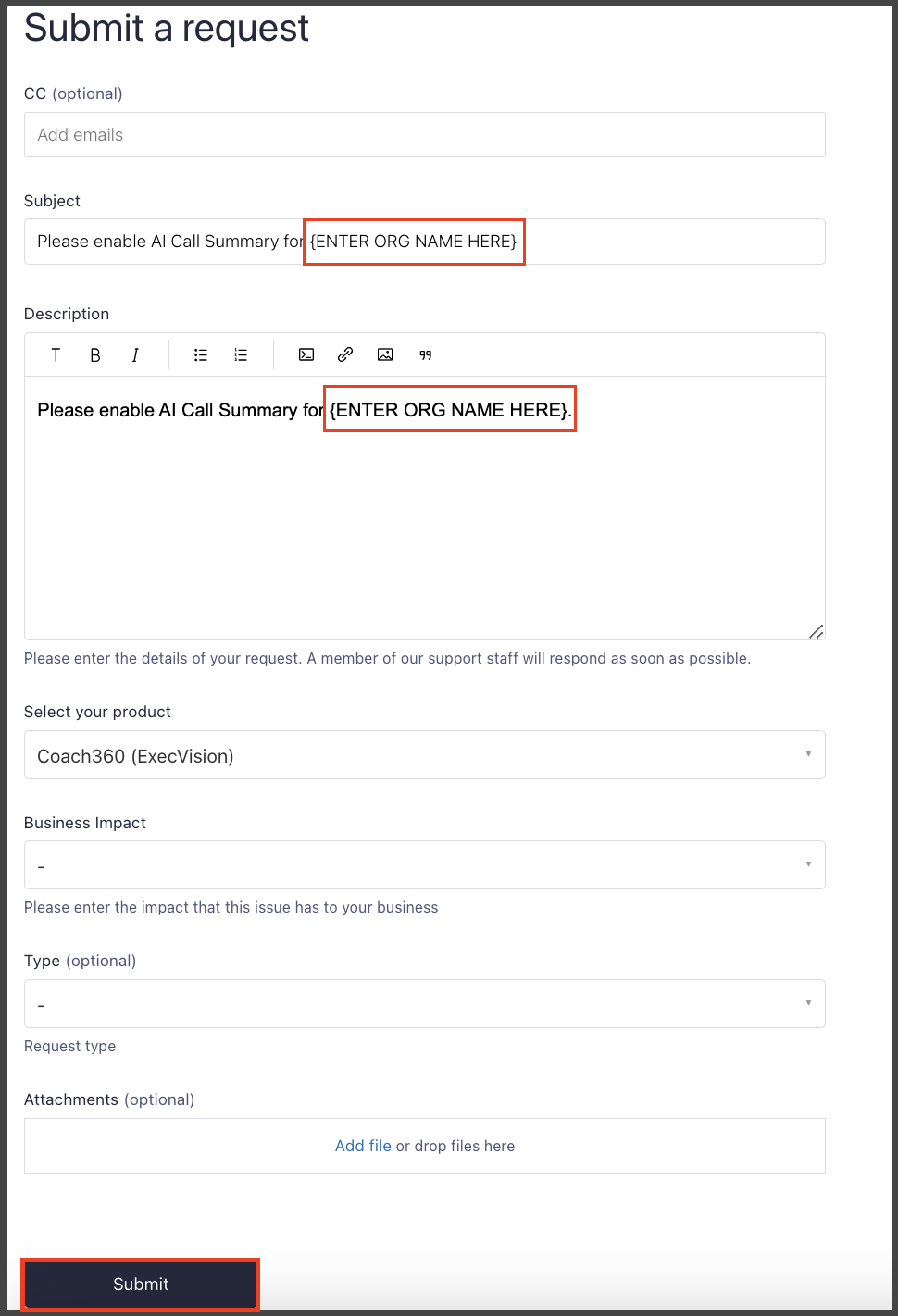
Note: this form will only populate for those logged in to Zendesk as end-users, not for internal agents/admin.
Replies have been locked on this page!